My wife is a realtor. For years, our household ran the way most households -- and, frankly, most small businesses -- run: a spreadsheet for the insurance policies, a folder of PDFs nobody could find, a calendar app, a notes app, a password manager, and a growing pile of paper on the kitchen counter that everybody walked around. Every one of those tools was good at its job. None of them knew about the others, and none of them knew anything about her job.
So for her birthday, I built her one system instead. It is called Hearth. It reads every bill, policy and receipt with AI, files it under the right home, car or project, keeps the calendar, the notes and the passwords, and shows it all on the web, on her iPhone and iPad, on the Apple TV in the living room, on the Mac, and inside Chrome. From the first prompt to the last release, it took twelve days.
This post is the tour, and it is also an argument. In my opinion, the question "which product should we buy?" is now very often the wrong first question. For a growing number of businesses, the better question is "what would software look like that fits us exactly?" -- because the price of the answer has collapsed. I'll show you what was built, how long it would have taken without AI, where my argument holds and where it doesn't, and what all of this means if you have a Delphi desktop application that deserves a second life.
What Hearth is, in one screen
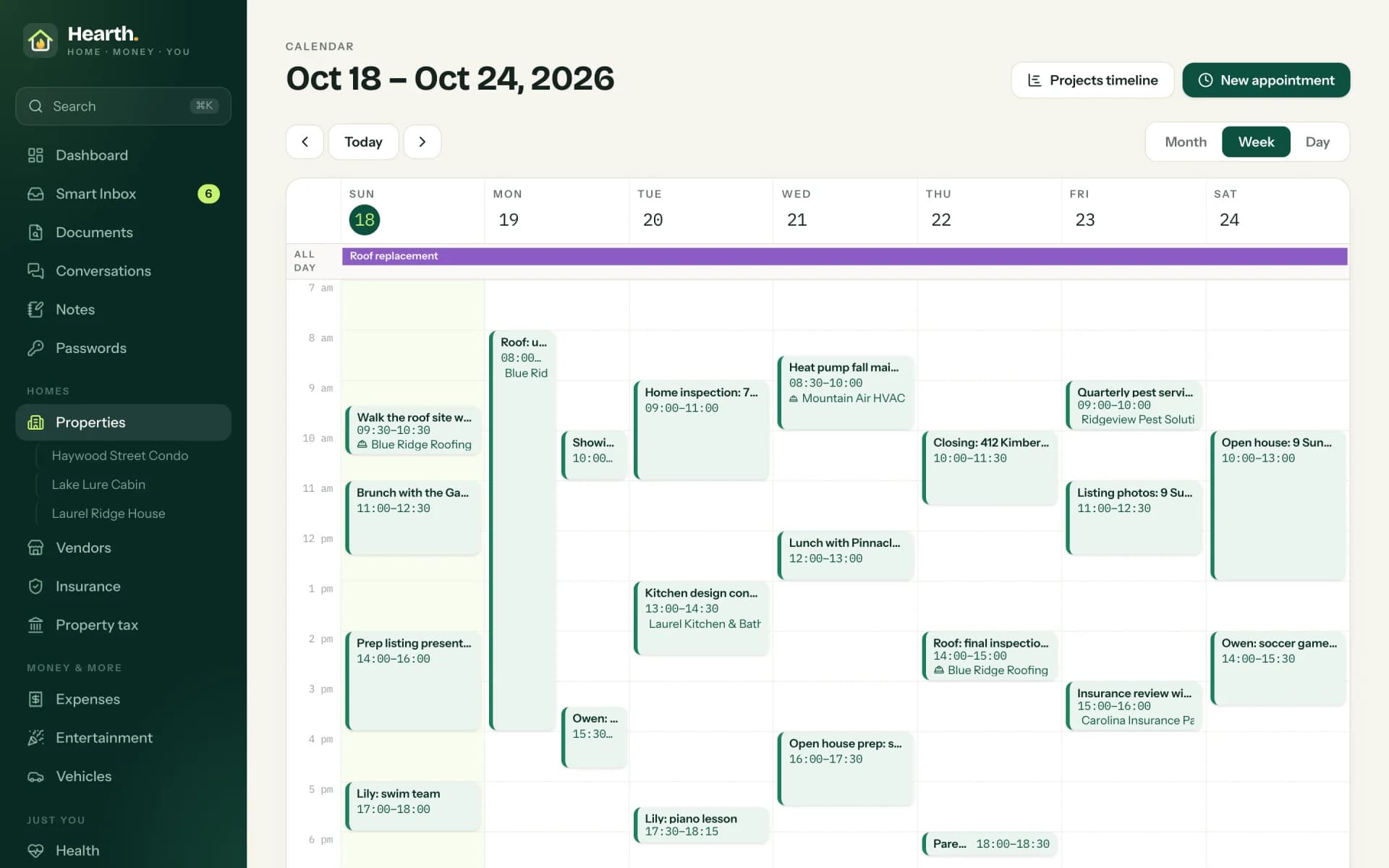
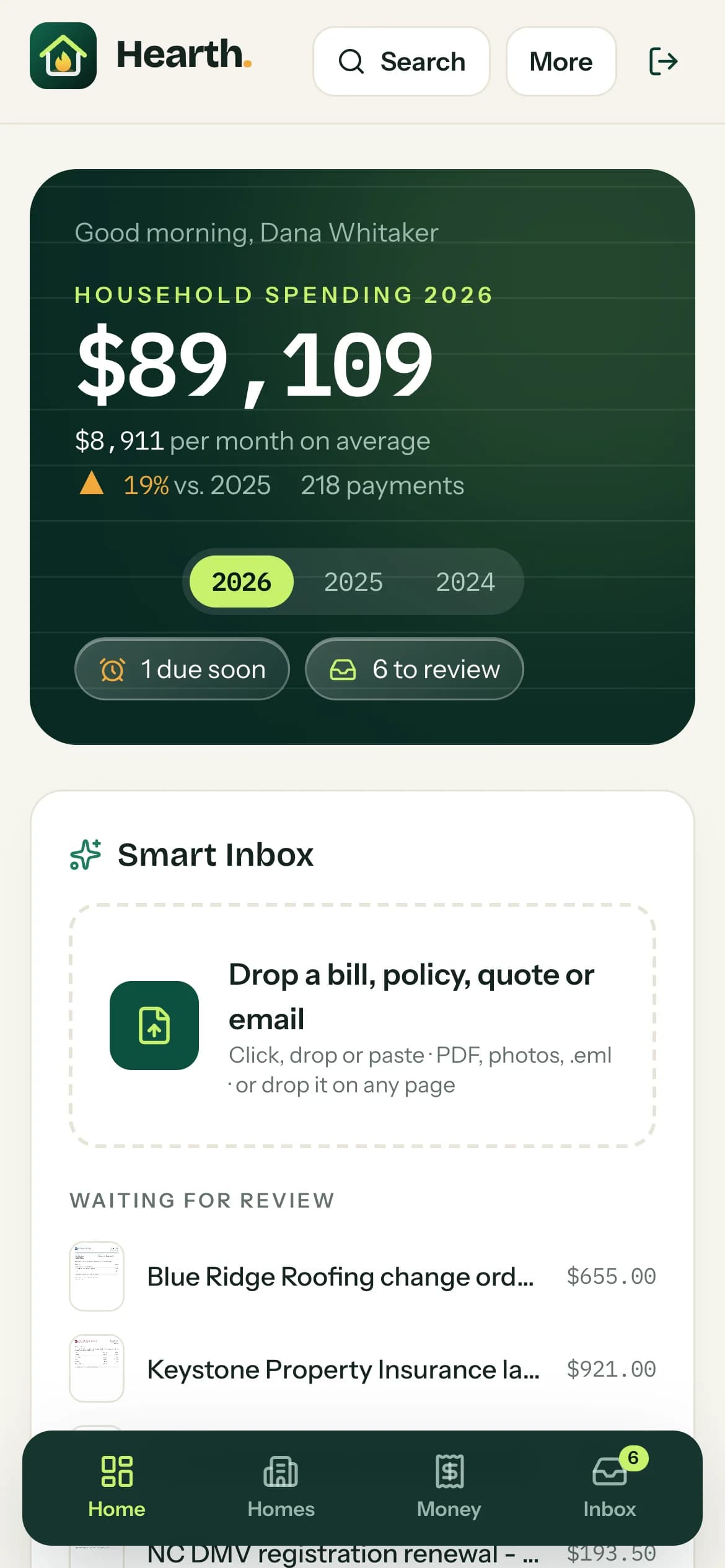
Hearth manages a household with several homes and cars the way a small business manages its operations. The dashboard is where every day starts: the weather (with a note on the days that have good light for listing photos), the open projects, the spending of the year, and whatever is waiting for a decision.
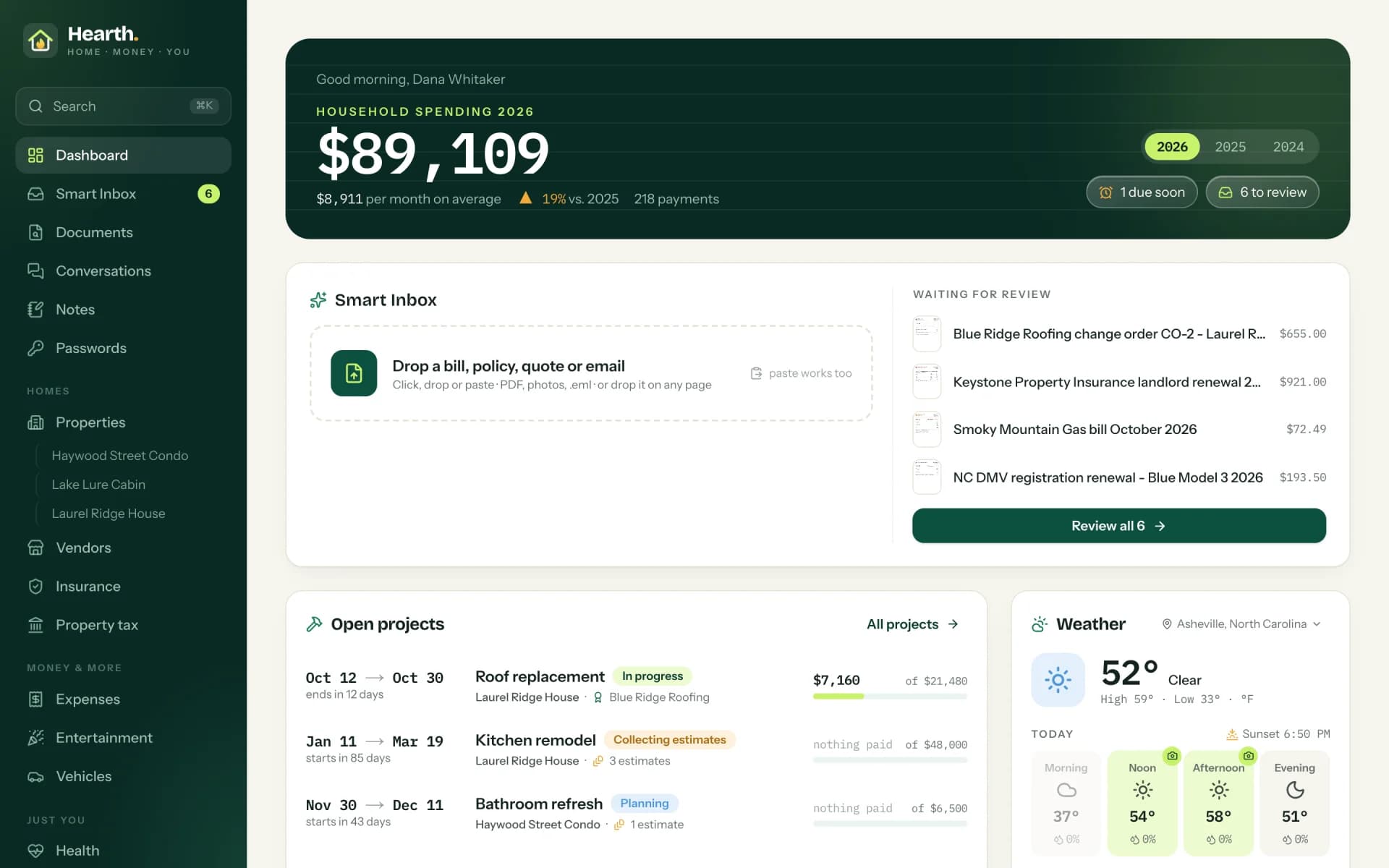
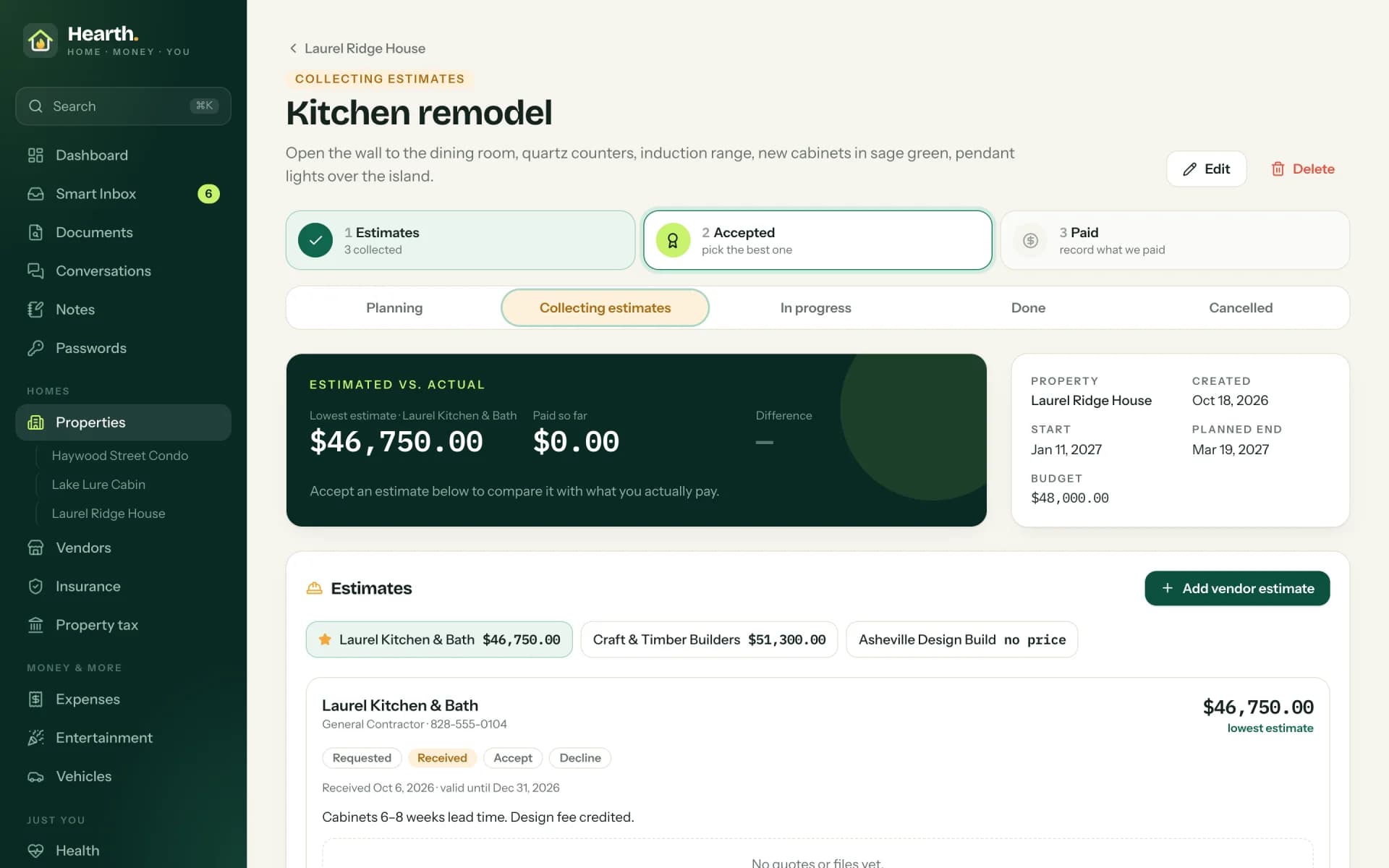
Behind the dashboard sit the parts that used to be separate tools or separate folders. Properties come with their HOA, the property tax bills and their installments, and the projects with several contractor estimates each. Vehicles come with leases, insurance comes with terms, payment plans and a timeline of every policy, and health insurance comes with its bills. Vendors have their people and phone numbers, conversations collect emails and recorded calls, and recurring expenses book themselves. Notes, passwords and a full calendar complete the picture.
None of this is exotic. That is precisely the point. Every single feature exists somewhere in a commercial product. What doesn't exist is the one product that has exactly these features, connected exactly this way, for exactly this person.
The paper pile, solved: OCR, categories and filing
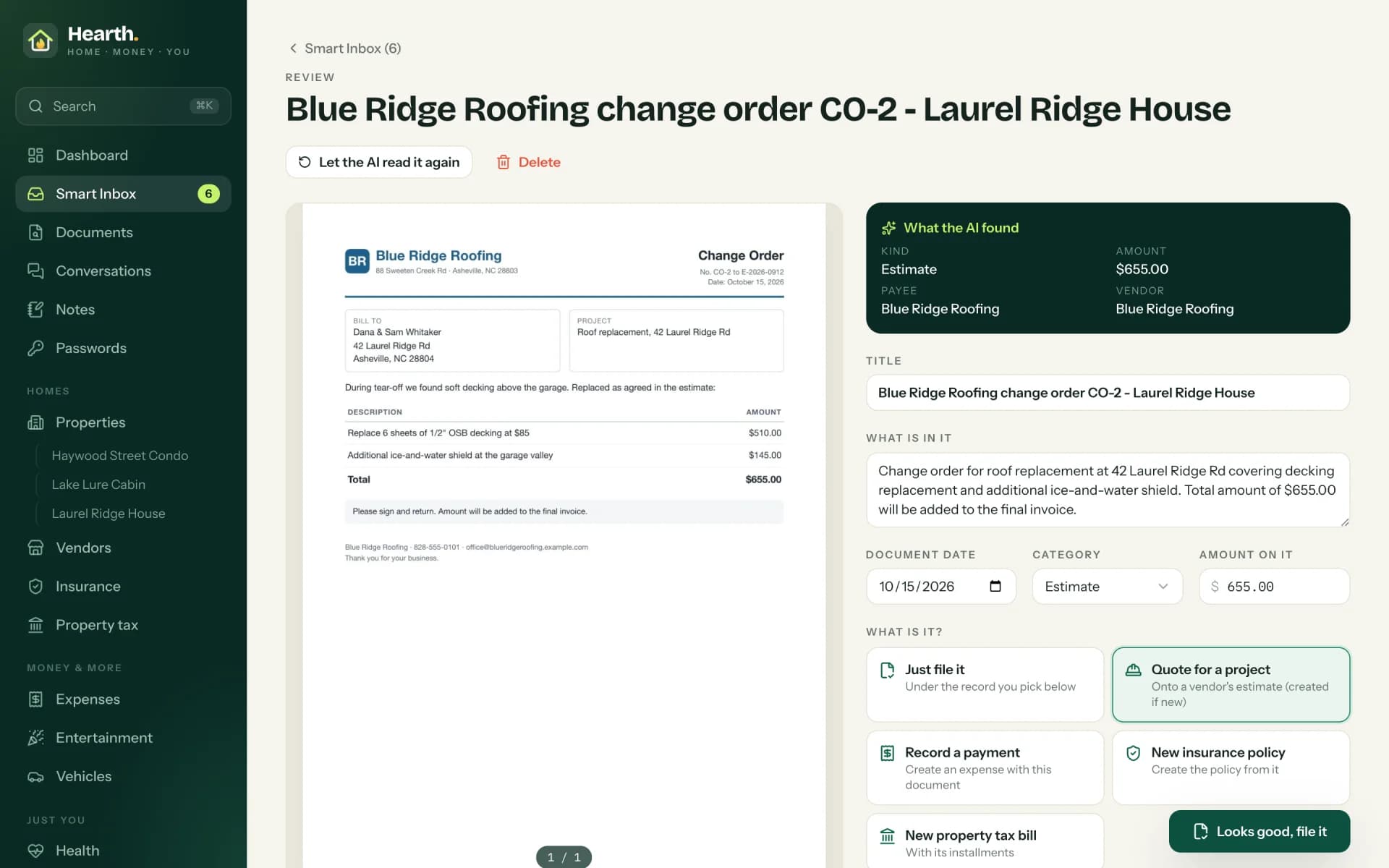
The feature that changed the kitchen counter is the document pipeline. A document arrives as a PDF, a photo, a scan or a saved email with its attachments, dropped onto the page or pasted with ⌘V. When a PDF carries its own text, Hearth reads that; when it is a scan or a photo, every page goes through a vision model as OCR. Then the AI extracts what matters: who sent it, the date, the amount, the due date, the policy or account number. Then it suggests where the document belongs: which category, which home or car, which policy or project.
The third box is the one I care about most. The AI never decides on its own where something goes: whatever arrives in the Smart Inbox waits until a person confirms or corrects the suggestion. (Drop a document straight onto a project or a policy, and you've already said where it belongs, so it skips the queue.) The review screen shows the document right next to what the AI read, so checking takes seconds instead of minutes.
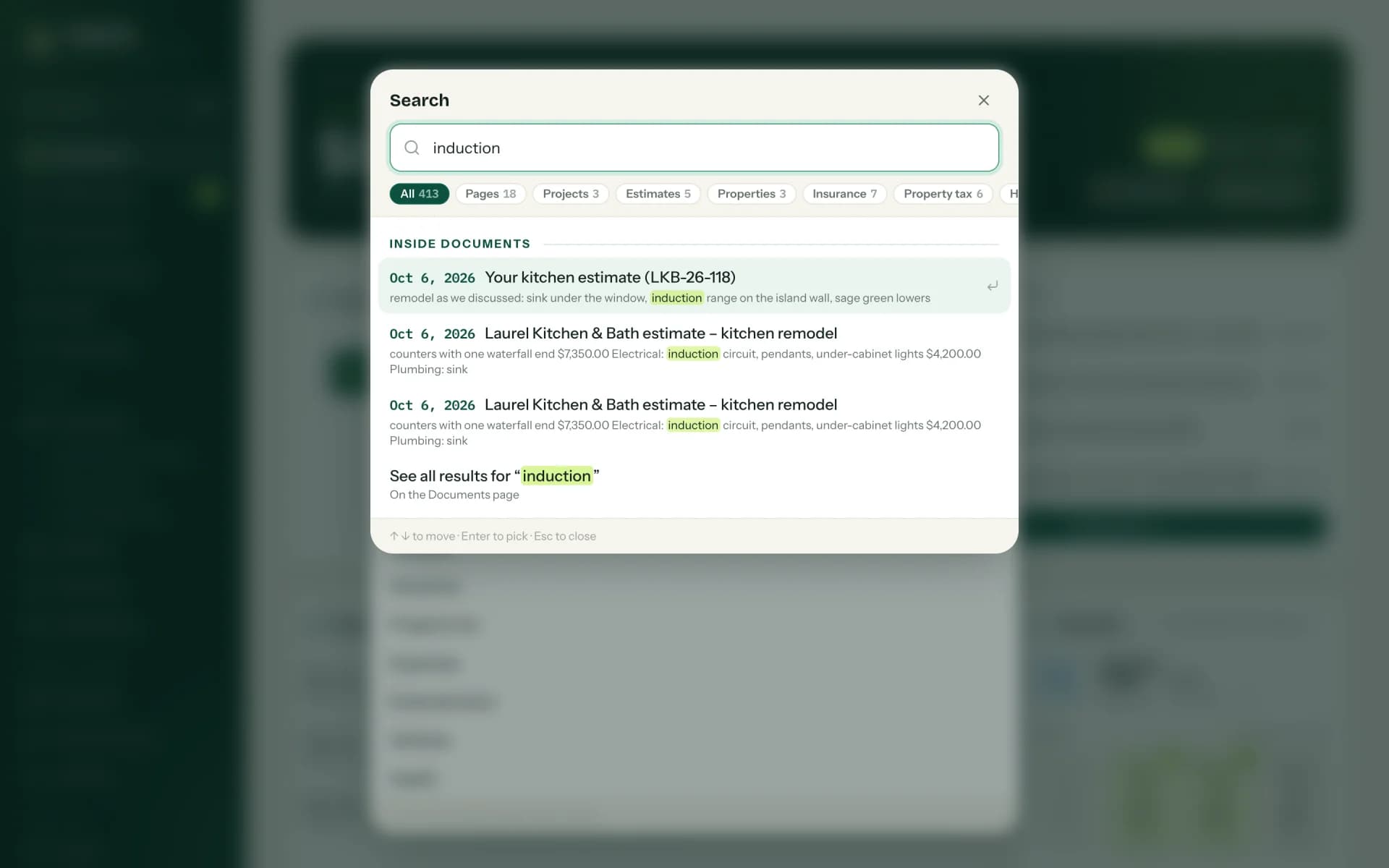
Once a document is filed, it does real work. A bill becomes an expense under the right home, an insurance renewal extends the right policy, and a contractor's quote lands next to the other quotes for the same project, so the cheapest current offer is obvious. Every word inside every document is searchable from anywhere with ⌘K, which is the moment people usually stop asking me why they would want this.
Phone calls get the same treatment. Tap the microphone after a call with the roofer, say what it was about, and Hearth transcribes it into a conversation with that vendor. The transcription runs on a Whisper server on a Mac in the house, so the recording never leaves home.
Any AI provider, including one that lives in the house
The household picks how documents are read, in the admin settings, without a new release. Hearth speaks to three kinds of providers: the Claude API from Anthropic, any model on OpenRouter (which puts the models of OpenAI, Google, Anthropic, Mistral and many others behind one API), or a local model on any OpenAI-compatible server such as LM Studio or Ollama. With the local option, not a single page leaves the house -- which I wrote about in detail for Delphi in Give Your Delphi App a Brain.
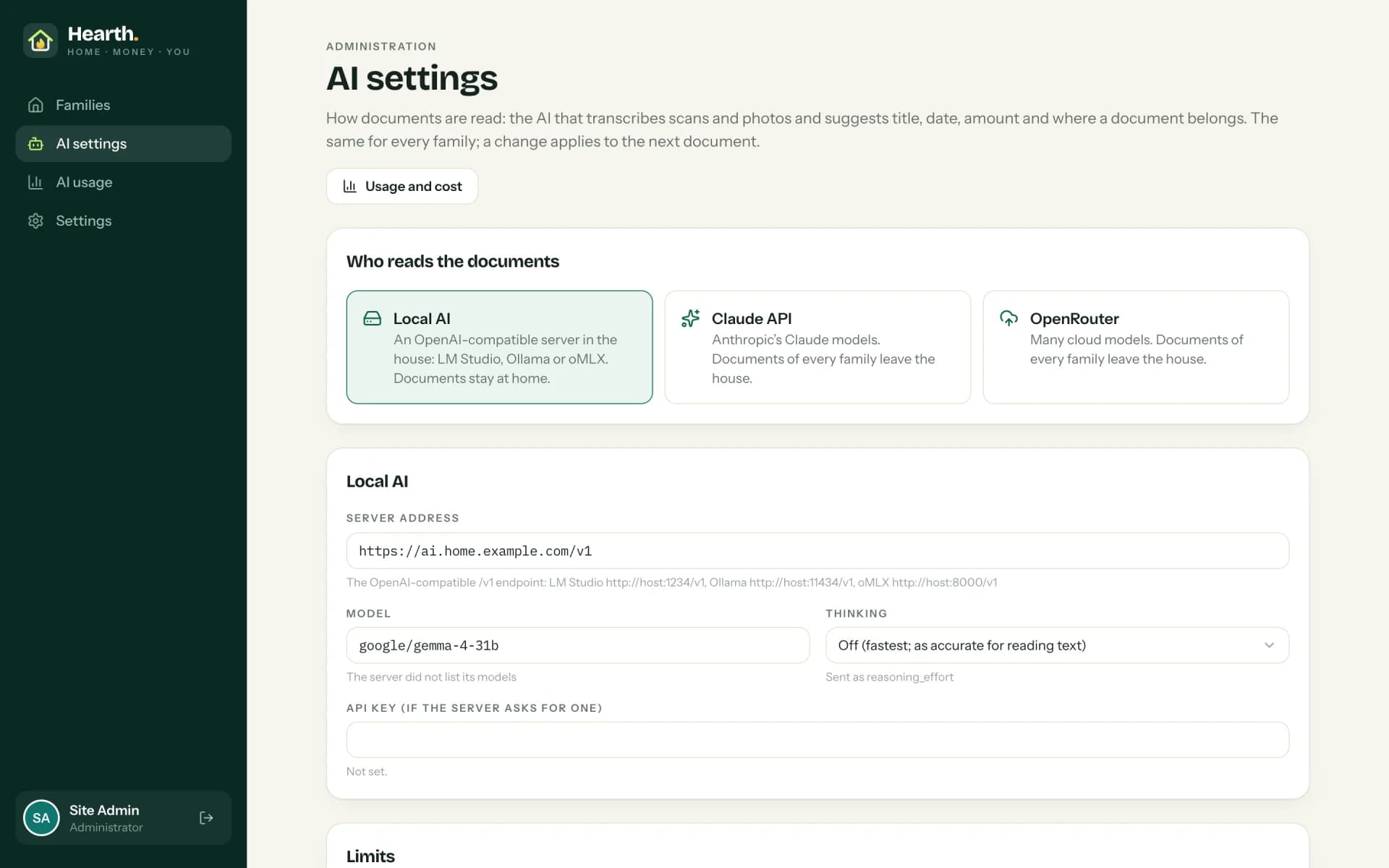
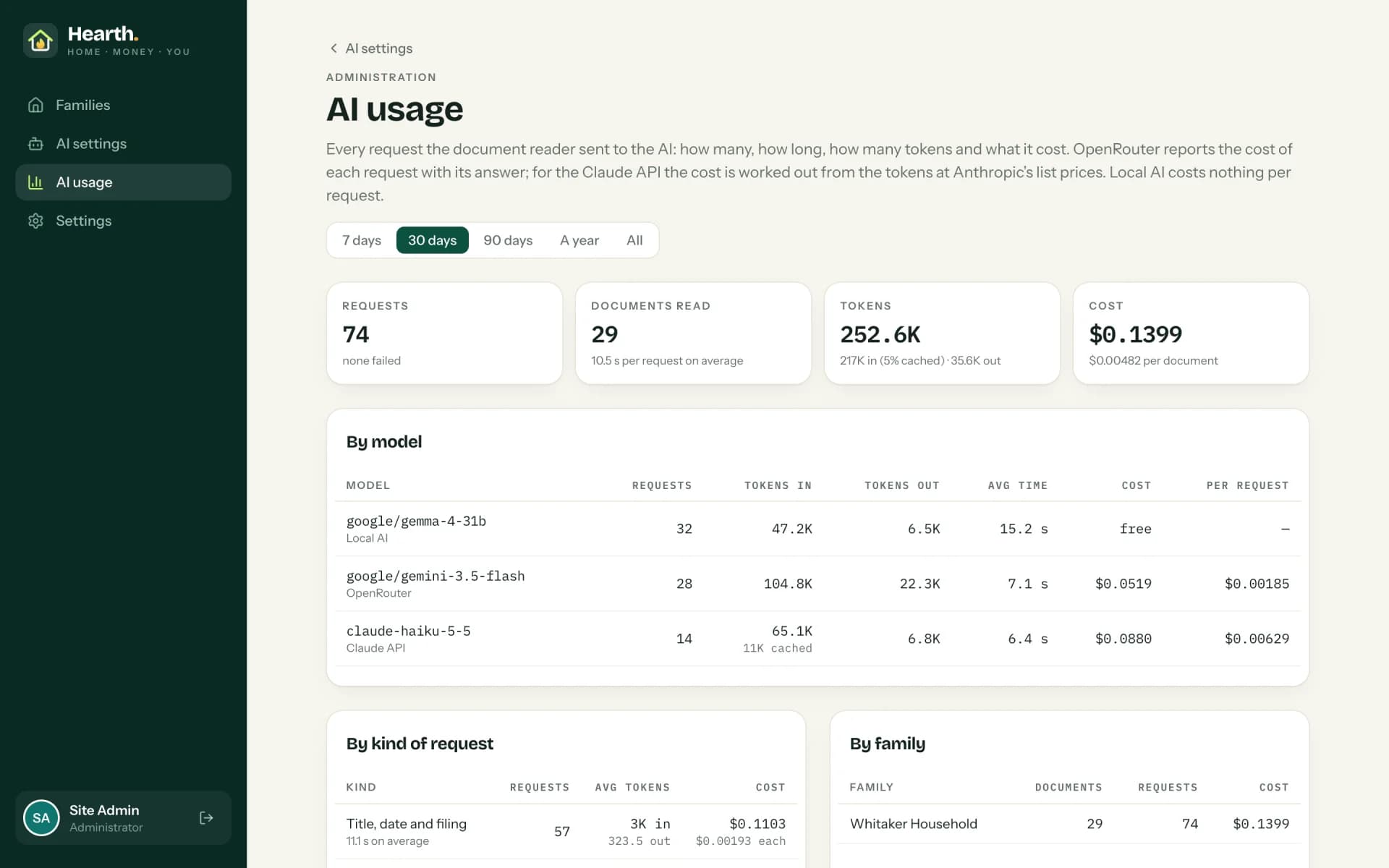
Because "AI" without a bill attached is a fairy tale, every request is logged with its tokens, its time, its errors and its cost. Cloud models report or estimate their price; the local model costs nothing but electricity. The administrator sees it by model, by kind of request, by family and by day.
One backend, seven front doors
Hearth isn't one app; it is one server with several ways in. The web application does everything. A read-only app for iPhone and iPad shows every section of it. An app for Apple TV turns the living room screen into a family dashboard. Notes for Mac and Passwords for Mac are full native replacements for the apps they replaced, and a Chrome extension fills in logins on the websites themselves.
The diagram looks simple because the hard part is invisible: every front door goes through the same rules on the server. Each app signs in on its own, with a code confirmed on the web, and each kind of app may only do what it was made for. The Chrome extension can read and save passwords, and nothing else; if somebody stole its sign-in from the browser, they could not open a single document.
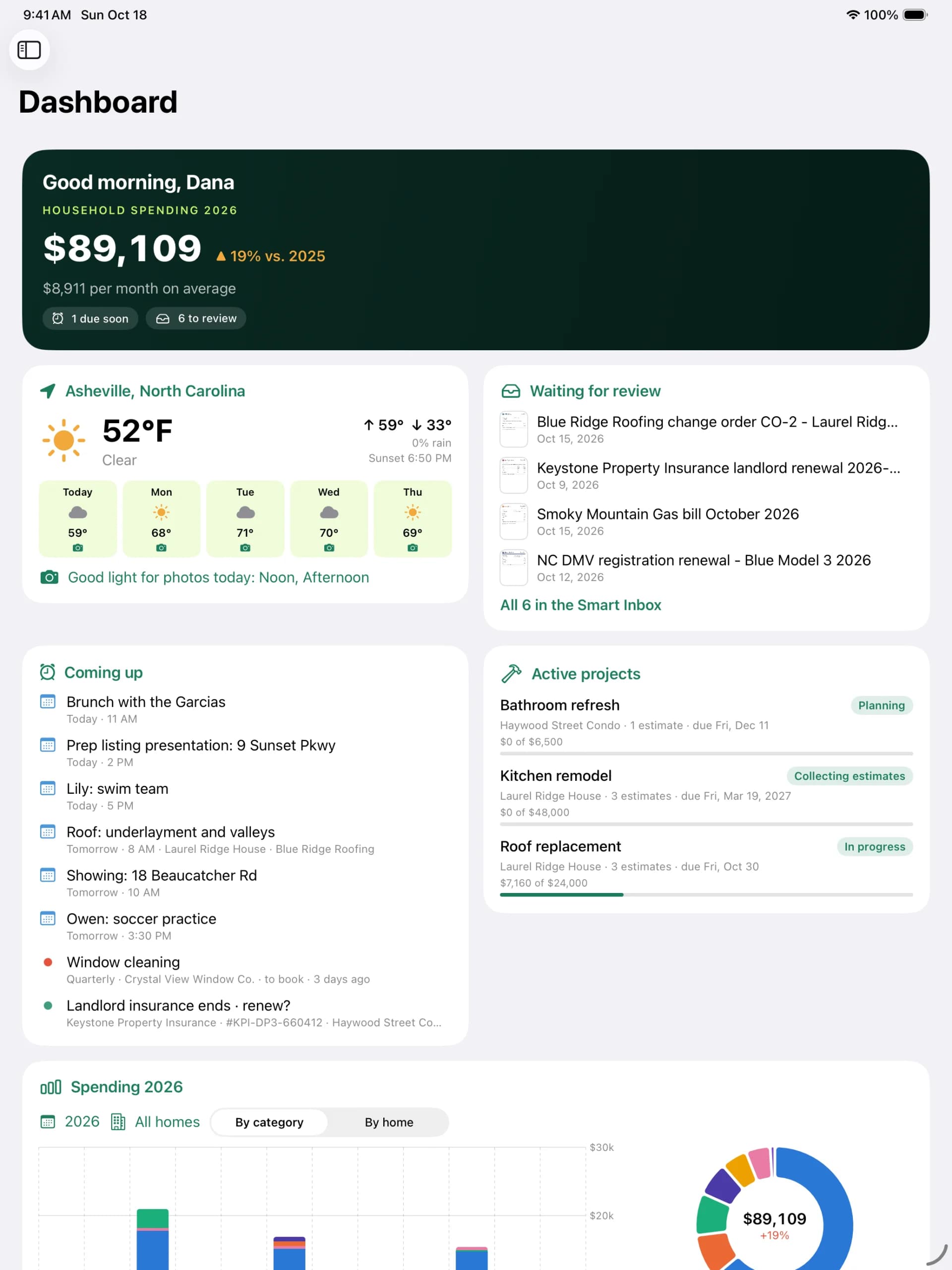
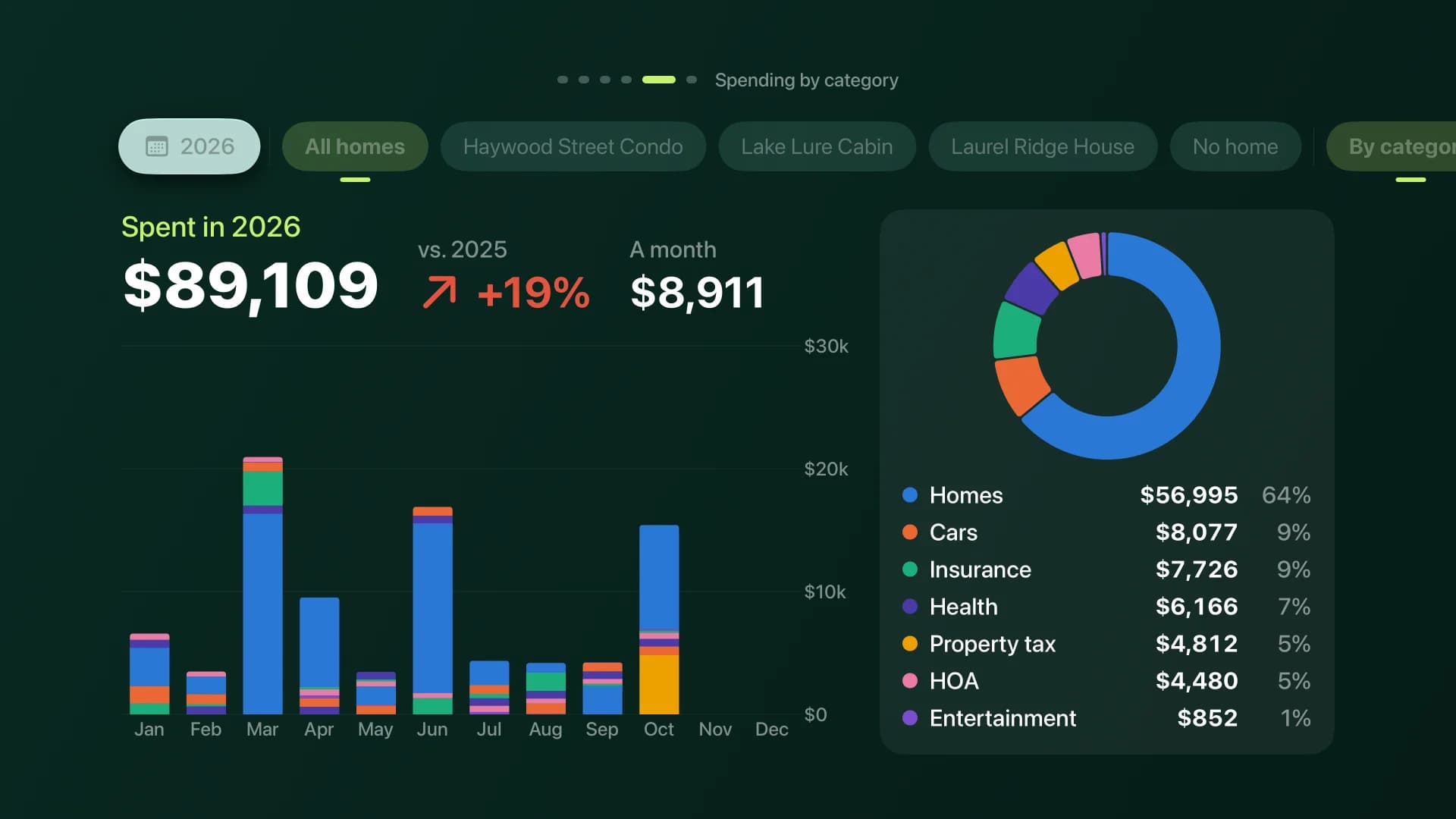
The Apple TV app deserves a word, because it is the one people smile at. It shows today's appointments, the month, the weather with the good-light hours for photos, and the year's spending, and it runs as a slideshow that keeps the screensaver away. In a home, that is a family dashboard. In an office, a showroom or a waiting room, the very same idea is digital signage, fed live from your own data instead of a USB stick someone updates once a quarter.
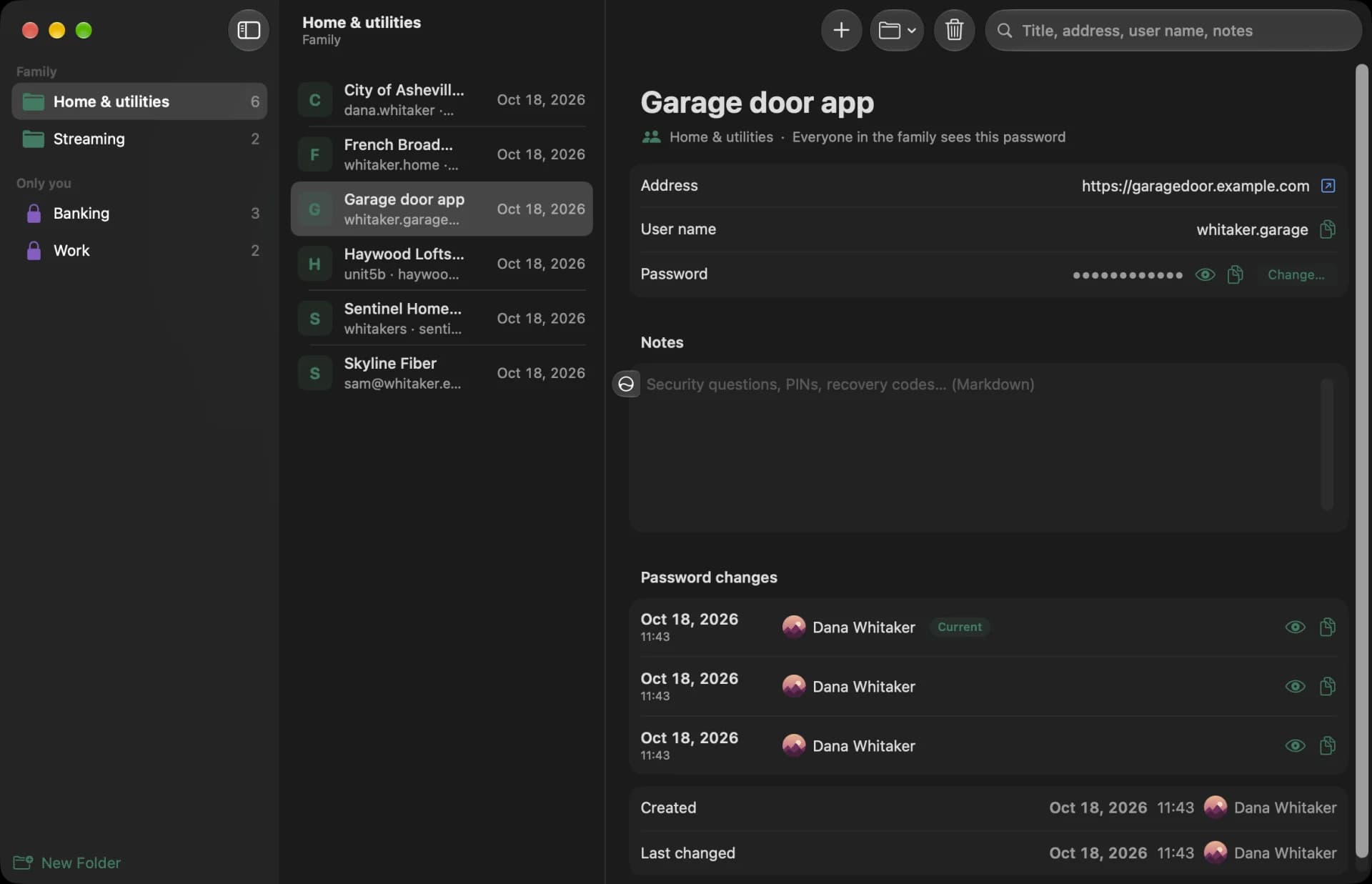
On the Mac, the two native apps replaced the notes and password apps we used before. The passwords stay hidden behind Touch ID and lock again after five minutes, and the Chrome extension offers to save or update a login right after you sign in somewhere.
Built for one realtor, not for a million users
This is where custom software earns its keep. A generic product has to serve everybody, so it serves nobody exactly. Hearth knows that its owner sells houses, so it has things no household app would ever ship.
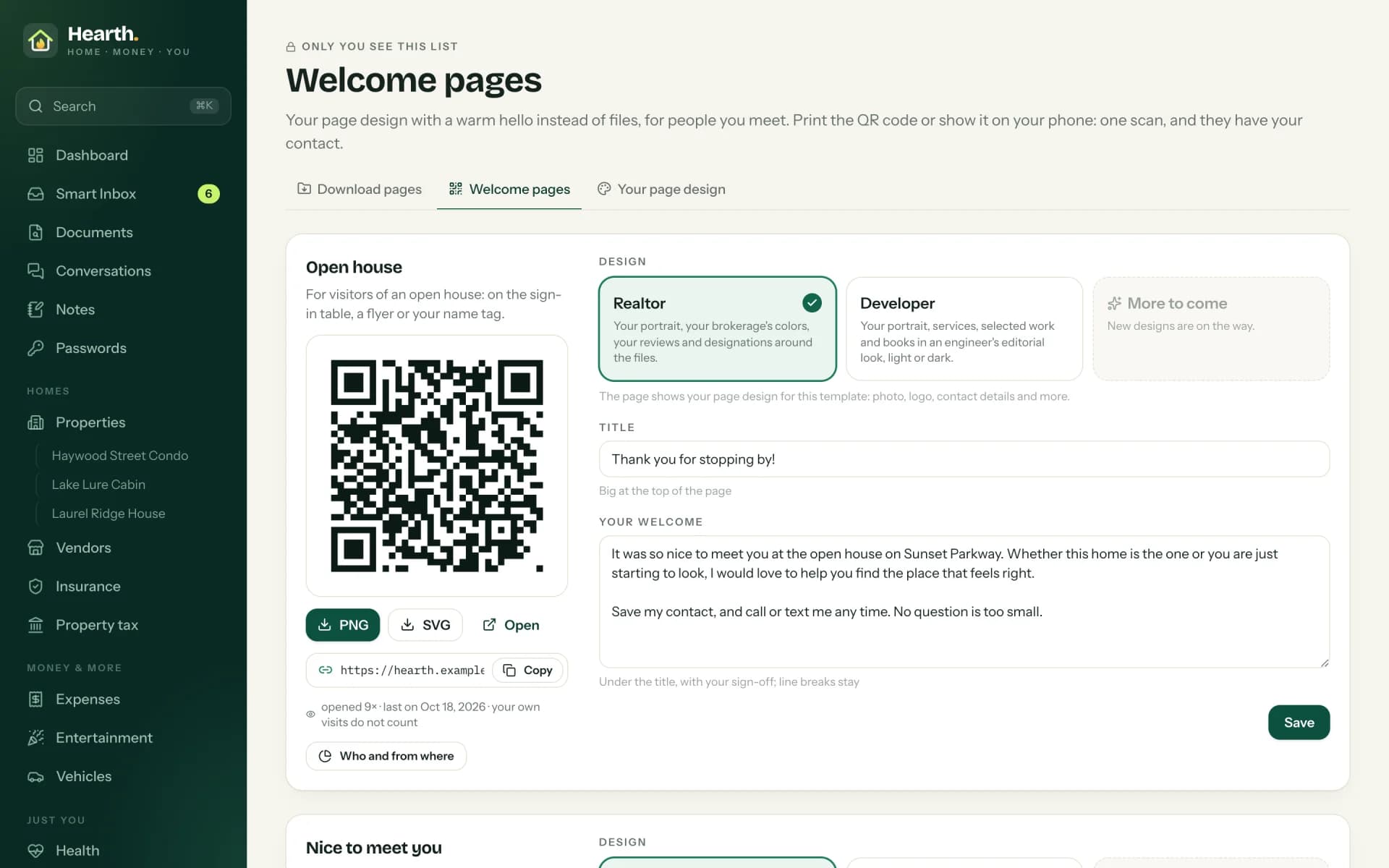
Welcome pages are a good example. A realtor can create a page for a client or an open house -- from a template, with a QR code to print -- and Hearth logs when it was opened, roughly from where, and with which browser. The weather card marks the days with good light for listing photos. None of these took long to build. Every one of them would be a feature request in a big product's backlog, voted on by thousands of users who don't need it.
How long would this have taken without AI?
Twelve days is the calendar time from the first prompt on October 7 to the last release on October 18. My Claude Code session logs show about 20 hours of active working time with the AI in that period. That figure counts only the time a session was busy, with breaks longer than twenty minutes left out, so testing on the iPad or thinking on the porch isn't in it.
The result is 58,588 non-blank lines of TypeScript, Swift, SQL and JavaScript, 52 merged pull requests, and 48 tagged releases. Lines of code are a poor measure of value -- Edsger Dijkstra famously argued they should be booked as "lines spent", not "lines produced" -- but they are the only size measure the classic estimation models accept, so let's ask them.
The chart needs a logarithmic scale, which tells you something on its own. Here is where each bar comes from.
- Basic COCOMO. Barry Boehm's Constructive Cost Model from 1981 estimates effort as 2.4 × KLOC^1.05 person-months for an "organic" project. For 58.6 thousand lines, that is about 172 person-months, or roughly 26,000 hours at the model's 152 hours per month. The model is old and assumes a world without modern frameworks, so I treat it as the ceiling.
- Code Complete, best case. Steve McConnell's Code Complete (2nd edition) lists 2,000 to 25,000 lines per staff-year for projects of 10,000 lines, and 1,000 to 20,000 for 100,000 lines (table reproduced here). Taking the most optimistic end, 25,000 lines a year, Hearth is about 2.3 staff-years, roughly 4,200 hours at 1,800 working hours a year.
- My own estimate. I estimated it the way I estimate customer projects: feature by feature, for one experienced developer, with modern frameworks, and no AI. The data model and sign-in with passkeys and family isolation: 25 days. The document pipeline with the AI providers: 25. The household modules from properties to health insurance: 55. Calendar, dashboard, search, notes, password vault and welcome pages: 44. Tests, the security review and deployment: 17. The app API, the iPhone and iPad app, the Apple TV app, both Mac apps and the Chrome extension: 69. That is 235 working days, or a bit under 1,900 hours -- and it is the most optimistic of the three on purpose.
Even against my own optimistic estimate, the difference is about two orders of magnitude. I'm aware of how that sounds, so the next section is the part where I argue against myself.
How I keep it from turning into "vibe coding" -- the tests, the security review, the release gate, the isolation checks -- is the subject of my next post, Not Vibe Coding.
Buy or build? The honest answer is "it depends"
There is a simple calculation many companies never make. A big-name CRM lists its enterprise edition at roughly $165 to $175 per user per month, depending on which price tracker you ask (Capterra, Redress Compliance). For ten users, that is about $20,000 a year in licenses alone, before add-ons, integrations and the consultant who configures it.
Roughly $100,000 over five years, for software that will still not know what your company actually does. In my view, that budget now buys a tailored system with room to spare -- one that you own, that speaks your vocabulary, and that grows with the business instead of with the vendor's roadmap.
That said, a subscription buys real things that are easy to forget: hosting, updates, compliance work, support at 2 AM, and integrations with a thousand other products. Custom software needs maintenance, backups and somebody who answers when it breaks. If your process is standard and a product fits it, buy the product -- I mean it. And if you like the idea of owning your system but don't want to start from zero, there are excellent open-source CRMs such as Odoo Community, SuiteCRM, EspoCRM and Twenty that can be customized and hosted wherever you like.
What this means for your Delphi application
Most of my customers don't come to me with a blank page. They come with a Delphi application that has run their business for fifteen or twenty-five years. It works, the users love it, and it is slowly becoming the reason the company can't do something new: no web access, no phone, no tablet, no AI, and a developer pool that is not getting any bigger.
Hearth is a picture of what such an application can become, and there are several honest roads to get there. You can keep the Delphi code and put a REST API in front of it -- with TMS XData or with nothing more than WebBroker -- and then build web, mobile and TV front ends against it. You can render the web pages from Delphi itself with WebStencils. Or you can move the whole thing to a modern web stack, the road I described in my Delphi to Next.js series. The right answer depends on your code, your team and your users, and I would rather tell you which road fits than sell you the one I like best.
Modernizing a website follows the same rule. Your brand is not a template, so I keep your colors, your typography and your logo in place and modernize what is underneath: speed, phones, accessibility, search, and a content workflow that doesn't need a developer for every comma. If you already have a design system, we work inside it.
Teams and single developers
I work both ways, and both are common. Some customers are a single developer who has carried a product for years and needs a partner who has done this before -- someone to review the plan, take over the parts that don't fit their skills, or pair on the first module. Others are teams that want the modern stack and a working AI-assisted process introduced into their own repository, with their own people doing the work and me reviewing alongside. In both cases, the work happens in a repository you can see from day one, in short releases you can run.
The way we start is always the same and, as my services page says, costs nothing: a conversation of thirty to sixty minutes about the system and the pain. For existing code, the next step is a fixed-scope assessment -- I read it, compile it, run it, and you get a written plan and a realistic estimate that you own whether or not we continue. You can see more systems I have shipped under Work.
The bottom line
Hearth started as a birthday present and ended up as the best argument I can make for custom software. In twelve days, one experienced developer with AI built what the textbooks put at somewhere between one and several person-years: AI that reads and files documents with any provider, passkeys and an encrypted vault, and native apps for iPhone, iPad, Apple TV and the Mac, plus Chrome. The AI did not make the decisions; it made the decisions cheap to carry out.
The question is no longer whether you can afford custom software. It is whether you can afford to keep bending your business around somebody else's.
If you have a Delphi application that deserves a future, or a process that no product fits, I would love to hear about it. Let's talk.