If you speak at developer conferences often enough, the same conversation keeps coming back around. There are plenty of talented developers out there — often Delphi developers, often people who have shipped serious software for twenty years — who, when the topic turns to version control, have a new and creative reason for not using it. As a GitKraken Ambassador, I've heard most of them by now.
One that comes up again and again genuinely gives you pause, because it sounds responsible:
"I use virtual machines for everything, so my code is safe."
It's encouraging that safety is even on the radar — most of the "I don't use version control" crowd isn't thinking about it at all. But it has to be said plainly: a virtual machine is not version control, it is not even a good substitute for it, and using VMs this way quietly creates the exact problem it's meant to avoid.
Let me explain why — carefully, because the instinct behind it is a good one — and then I'll show you a setup that gives you the real thing in about fifteen minutes, on your own hardware, trusting no cloud provider whatsoever.
The instinct is right. The mechanism is wrong.
First, credit where it's due. Anyone who reaches for VMs this way has internalized a real truth: your source code is a valuable asset and it deserves protection. That's more than half the battle. Most people who skip version control skip it because they've never lost anything yet. Reaching for VMs at least means actively trying to be safe.
The problem is that "safe" got wired to the wrong mechanism. A VM protects a snapshot of a machine. Version control protects the history of your code. Those are not the same thing, and the difference is the entire point.
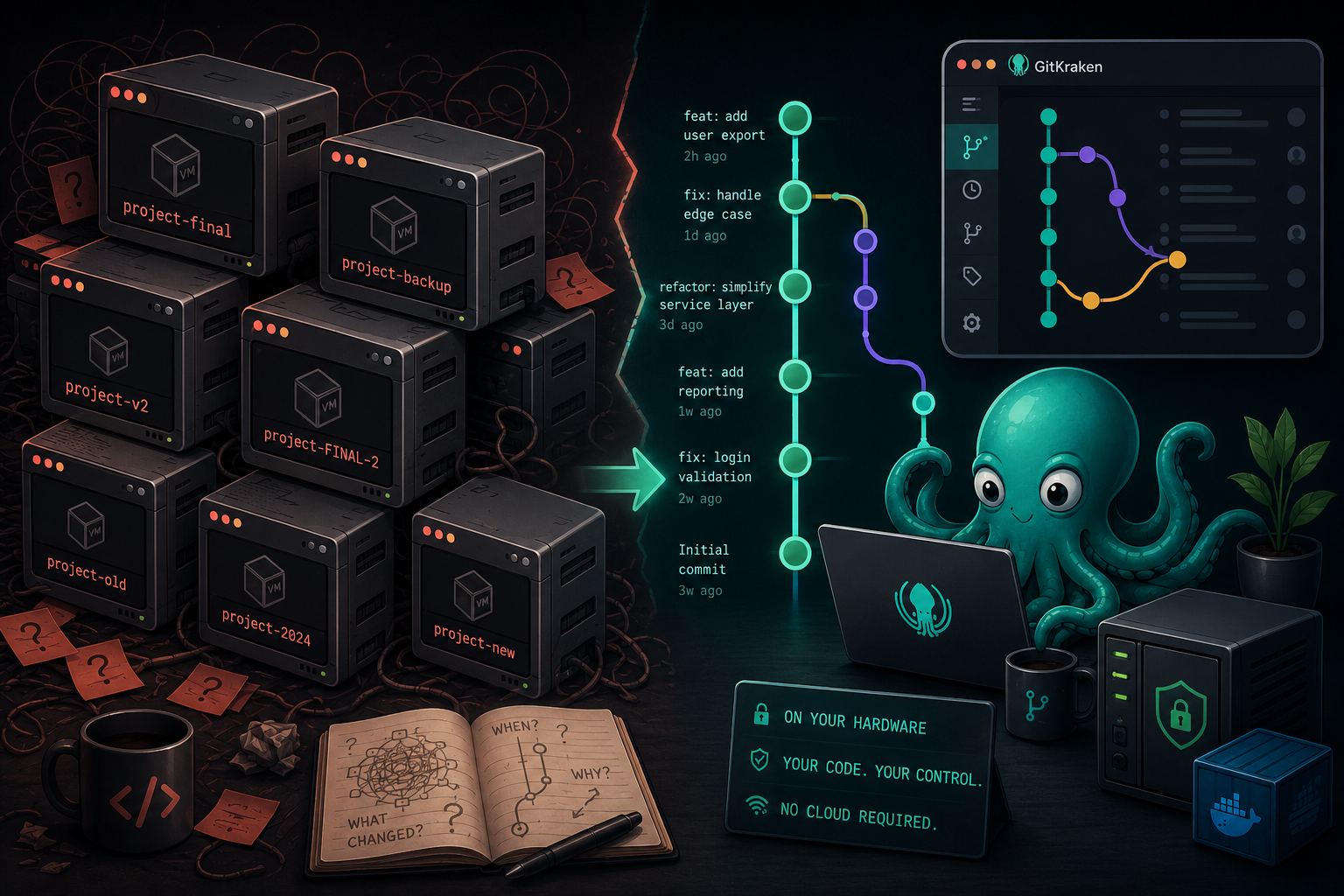
Here's a useful mental model. Imagine you have twelve virtual machines, each containing a copy of your project at some point in the past. What do you actually have?
You have duplicate copies of the same thing, none of them centrally managed. Each VM is a heavy, opaque box weighing tens of gigabytes. To find out what differs between two of them, you'd have to boot both, open both projects, and compare files by hand. To answer "why did I change this function in March?" you'd have to remember which VM was March and then guess. There is no history with intent — there's just a pile of frozen moments with no thread connecting them.
That's not a version control system. That's a shoebox full of Polaroids.
What a VM literally cannot do
Let me be specific, because "trust me, it's worse" is not an argument. Here is what version control gives you that a wall of VM snapshots structurally cannot:
It cannot tell you what changed. A commit is a precise, line-level record: these five lines in this unit changed, from this to that, on this date, for this reason. A VM snapshot is a monolith — the OS, the compiler, your IDE settings, and your code, all fused together. You can't diff intent out of it.
It cannot tell you why. This is the one people underrate. A good commit message captures the decision — "switched to a manual parse because FireDAC's date handling broke on the client's regional settings." Six months later, that sentence is worth its weight in gold. A VM has no place to write that sentence down.
It cannot let you experiment fearlessly. With Git you branch, try a risky refactor, and either merge it or throw it away — instantly, with zero cost. The VM equivalent is "clone the whole 40 GB machine and hope you remember which clone was the good idea." Nobody actually does that, which means in practice they don't experiment, which makes them slower and more timid than they need to be.
It cannot be centrally managed. Twelve VMs on twelve disks means twelve things to keep in sync, and no single source of truth. The moment you edit code in two of them, you have a fork you'll never reconcile. A Git repository has exactly one canonical history that every clone agrees on.
It doesn't even scale down to one person. "But I work alone" is the objection I hear next, and it's backwards. You absolutely collaborate with someone: your past self. The you of last spring made decisions the you of today can't remember. Version control is the only tool that lets present-you interview past-you and get a straight answer.
None of this means VMs are bad. VMs are excellent — for isolating build environments, testing on a clean OS, running an old compiler you can't install natively. Keep using them for that. Just don't ask them to be a time machine for your source code, because that's a job they were never built for.
"But I don't trust GitHub or any cloud provider"
This is where the conversation usually gets interesting, because there's a second, entirely legitimate concern right behind the first one:
"I don't trust GitHub, or any other cloud provider, with my code."
And here's the thing I want to say loudly, because too many people never hear it:
Say this out loud to someone holding that concern and you can watch the relief arrive. The whole objection is built on a false equation: Git = GitHub = my proprietary code in Microsoft's cloud. Break that equation and the objection evaporates. You can run your own Git server, on a spare PC, a NAS, or a Raspberry Pi sitting on your desk, disconnected from the internet entirely if you like.
I've written before about doing this with Gitea, and it's a great choice. But today I want to point you at Forgejo, because for a privacy-first, trust-nobody developer it's an especially good fit — and I want to show you the full Docker setup.
Why Forgejo specifically
Forgejo is a lightweight, self-hosted Git service — repositories, issues, pull requests, a web code browser, the works. If it sounds like Gitea, that's because it is a community-driven fork of Gitea, and here's why that matters especially to anyone who doesn't trust cloud providers:
- It is governed by a non-profit (Codeberg e.V.), not a company that can be acquired, pivot, or start monetizing your trust. For someone whose core objection is "I don't trust corporate stewardship of my code," the governance model is the feature.
- It runs entirely on your hardware. No subscription, no account, no telemetry you didn't ask for, no internet dependency. Your code sits on your disk, full stop.
- It's genuinely lightweight. It runs happily on a Raspberry Pi. You do not need a beefy server to have a professional Git host.
- It's a drop-in for the whole Git ecosystem. Standard Git over SSH and HTTPS, so every Git client on earth — including GitKraken — talks to it natively.
In other words: it answers the "I don't trust the cloud" objection completely, because there is no cloud. There's just your machine.
Setting up Forgejo with Docker Compose
Let's make it real. This is a complete, production-ready setup you can run on any Linux machine on your network — a spare PC, a NAS, a Pi. The essentials here take well under fifteen minutes; the rest of this section is the full source so you can copy-paste your way to a working server.
Prerequisites
- Docker and Docker Compose installed
- A machine with at least 1 GB of RAM (512 MB works; 1 GB is comfortable)
- Fifteen minutes
The Docker Compose file
Create a directory for your Forgejo installation — say ~/forgejo — and inside it create a file named docker-compose.yml:
services:
  forgejo:
    image: codeberg.org/forgejo/forgejo:9
    container_name: forgejo
    environment:
      - USER_UID=1000
      - USER_GID=1000
      - FORGEJO__database__DB_TYPE=postgres
      - FORGEJO__database__HOST=db:5432
      - FORGEJO__database__NAME=forgejo
      - FORGEJO__database__USER=forgejo
      - FORGEJO__database__PASSWD=forgejo_secret_password
      # Make sure links and SSH clone URLs use the real host, not "localhost":
      - FORGEJO__server__DOMAIN=192.168.1.100
      - FORGEJO__server__ROOT_URL=http://192.168.1.100:3000/
      - FORGEJO__server__SSH_DOMAIN=192.168.1.100
      - FORGEJO__server__SSH_PORT=2222
    restart: always
    volumes:
      - forgejo_data:/data
      - /etc/timezone:/etc/timezone:ro
      - /etc/localtime:/etc/localtime:ro
    ports:
      - "3000:3000"   # Web interface
      - "2222:22"     # SSH for Git operations
    depends_on:
      - db
    networks:
      - forgejo_network

  db:
    image: postgres:16-alpine
    container_name: forgejo_db
    restart: always
    environment:
      - POSTGRES_USER=forgejo
      - POSTGRES_PASSWORD=forgejo_secret_password
      - POSTGRES_DB=forgejo
    volumes:
      - postgres_data:/var/lib/postgresql/data
    networks:
      - forgejo_network

volumes:
  forgejo_data:
  postgres_data:

networks:
  forgejo_network:
    driver: bridge
A couple of things worth pointing out, because they're the parts people trip over:
- Replace
192.168.1.100with the actual LAN IP (or hostname) of the machine you're running this on. SettingDOMAIN,ROOT_URL, andSSH_DOMAINup front means the clone URLs Forgejo shows you will actually work from your other machines instead of pointing atlocalhost. - Change
forgejo_secret_passwordto something real before you run this. It appears in two places — the Forgejo service and the database — and they must match. - The database and all repositories live in named Docker volumes, so your data survives container restarts and upgrades. (This is also exactly what you point your real backup at — remember, version control is not a backup, a lesson I'll never stop repeating.)
Starting Forgejo
Open a terminal in your ~/forgejo directory and run:
docker compose up -dGive it a moment, then open a browser and go to:
http://192.168.1.100:3000
You'll get the Forgejo setup screen. The database fields are already filled in from your compose file — just confirm them, create your administrator account, and you're done. You now have a private, self-hosted Git host that answers to nobody but you.
Getting an existing Delphi project into it
Once Forgejo is up, moving a project in is the standard Git dance:
# Navigate to your existing project folder
cd /path/to/your/delphi/project

# Initialize a Git repository
git init

# Create a .gitignore for Delphi (below) BEFORE your first add
git add .
git commit -m "Initial commit"

# Add your Forgejo server as the remote (create the empty repo in the web UI first)
git remote add origin http://192.168.1.100:3000/yourusername/yourproject.git

# Push
git push -u origin main
A sensible .gitignore for Delphi
Don't commit compiled binaries, DCU files, or IDE clutter — that's build output, not source. Drop this into your project root:
# Delphi compiled output
*.dcu
*.dcp
*.dcpil
*.dpu
*.bpl
*.bpi
*.lib
*.exe
*.dll
*.map
*.drc

# Local IDE settings
*.local
*.identcache
*.tvsconfig
*.dsk

# Backup files
*.~*
__history/

# Output directories
Win32/
Win64/
Android/
iOS/
OSX/

# Package cache
*.cache
Now make it comfortable: GitKraken + the version tree
Here's the part that turns "I set up a Git server" into "I actually enjoy using version control." A server is only half the picture — you also want a client that makes history visible, because the whole reason I'm dragging you away from VM snapshots is so you can finally see your project's timeline. That client, for me, is GitKraken.
The single feature that does the most to convert a skeptic is the version tree — GitKraken's visual commit graph. It shows your entire repository as a clear, interactive timeline: every commit, every branch, every merge, every tag, laid out so you can read the story of the project at a glance. This is precisely the thing your wall of VMs could never give you. Instead of "which frozen box was March," you get a labeled, navigable line you can click through. For a lot of developers, seeing their own history rendered like this is the exact moment version control finally clicks.
And because so many of us live inside our editor, GitKraken integrates directly into Visual Studio Code. You get that same version tree, commit graph, and staging workflow right beside your code, without alt-tabbing to a separate app. Commit, branch, review, and browse history in the place you already work.
A few practical notes so you're not surprised:
- Add Forgejo as a custom/self-hosted integration in GitKraken, authenticate once, and it treats your private server like any other host — clone, push, pull, branch, all visual.
- GitKraken's free tier doesn't cover self-hosted servers. You'll need at least the Pro plan to connect to a self-hosted Forgejo instance. If you're serious about your craft, it's an easy call — the ease of use pays for itself, especially while you're building the habit.
- One convenience gap to set expectations: GitKraken's pull-request features don't extend to self-hosted servers, so you'll create PRs in the Forgejo web UI. Minor, and it doesn't touch the day-to-day of committing and browsing history — which is where the value lives.
The honest summary
Let me bring it back to where we started: "I use VMs, so my code is safe."
The instinct is right: your code deserves protection. But a stack of virtual machines gives you duplicate, opaque, uncoordinated copies — a shoebox of Polaroids — when what you actually want is one managed history that answers what changed, when, and why. VMs are a wonderful tool for the job they're built for; being your code's time machine is not that job.
And if the reason you avoided the "obvious" answer is that you don't trust GitHub or any cloud provider — good. That's a healthy instinct too, and you don't have to compromise it. Forgejo in a Docker container gives you the full professional version-control experience on hardware you own, connected to nothing you don't control. Pair it with GitKraken's version tree — in its own app or right inside VS Code — and you have a setup that rivals what any large enterprise runs, minus the enterprise and minus the cloud.
Fifteen minutes. Your hardware. Your history. No cloud, no excuses.
Need a hand getting started?
If you're a Delphi developer — solo or on a team — who's been meaning to make this jump but isn't sure where to begin, this is exactly the kind of work I do: standing up a self-hosted Git host, migrating existing projects safely, establishing sensible branching, and getting a client like GitKraken working the way it should. Reach out.
In 2026, no professional developer should be trusting their life's work to a folder of frozen virtual machines. Let's fix that — one repository at a time.