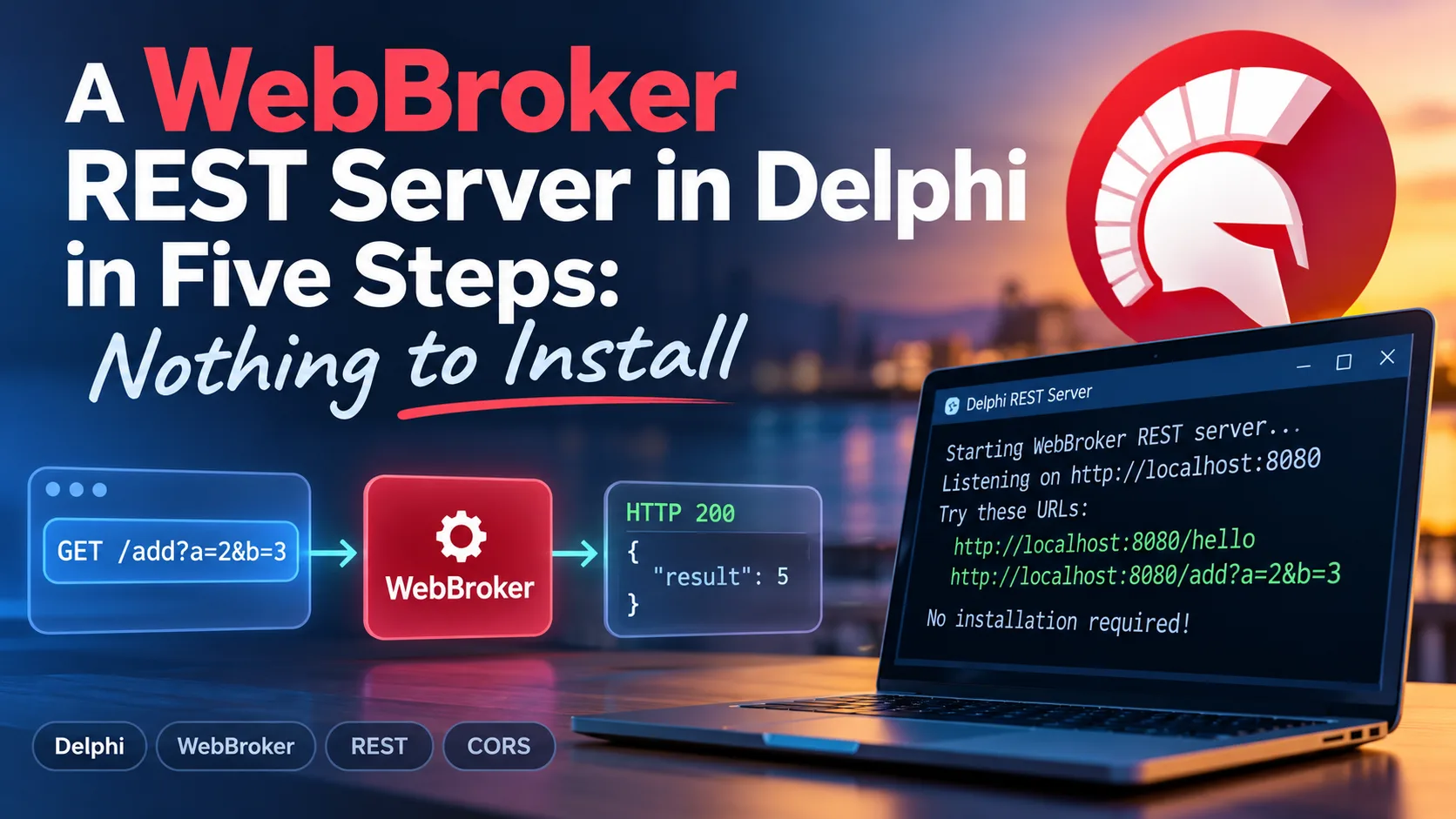
In my last post, we built a complete REST server with TMS XData in three small source files. I stand by every line of it. However, TMS XData is a commercial product, and not every team has a license -- or wants a third-party dependency for a service that says hello and adds two numbers. So the obvious question is: how far do you get with what already ships with Delphi?
Quite far, as it turns out. In this post, we will build the very same service -- same URLs, same JSON, same CORS setup -- with WebBroker, the web framework that has been part of Delphi for decades, and the Indy HTTP server that is bundled with it. Again, it is a plain console application: no wizard, no components dropped on anything, and every line typed by hand.
This is also the first part of a small series. WebBroker is the foundation that Embarcadero's template engine, WebStencils, builds on, and we will get to that in the next post. First, though, we need a server that answers.
What we are building
Before we write any code, let's look at which parts take part in a request, because the list differs from the XData version in an interesting way. There is no http.sys this time. Indy opens a regular socket, accepts the connection, and parses HTTP itself. The class TIdHTTPWebBrokerBridge then converts Indy's request into WebBroker's request object and hands it to a web module, which picks the matching action and calls our code.
Compare this with the XData diagram and note two things. The whole chain now lives inside our executable -- the operating system only provides the socket. And the box on the right got bigger: WebBroker routes the request to our method, but converting parameters and producing JSON is now our job. That is the trade we are making, and we will see exactly what it costs.
The five steps are: create the web module, add the routes and handlers, add CORS, write the server program, and call the service. You need Delphi and nothing else; WebBroker and Indy are part of the installation.
Step 1: Create the web module
In WebBroker, requests are handled by a web module, a class that descends from TWebModule. Create a new unit named HelloWebModule.pas. We will fill it in the next step; before that, there is one small file we have to talk about.
A web module is a close relative of the data module. Its base class, TCustomWebDispatcher, descends from TDataModule, and just like a form or a data module it expects a form file (.dfm) that it loads at creation time. The wizard generates one, and so do we. Create HelloWebModule.dfm next to the unit with this content:
object HelloModule: THelloModule
end
Yes, that is the whole file. No components, no properties. It only has to exist so that the {$R *.dfm} directive in the unit has something to link.
You might wonder whether we could skip it altogether. Remove the file and the {$R *.dfm} line, and the program still compiles and starts. Even the first request succeeds, because our routes are created in code. The console, however, shows this as soon as that request arrives:
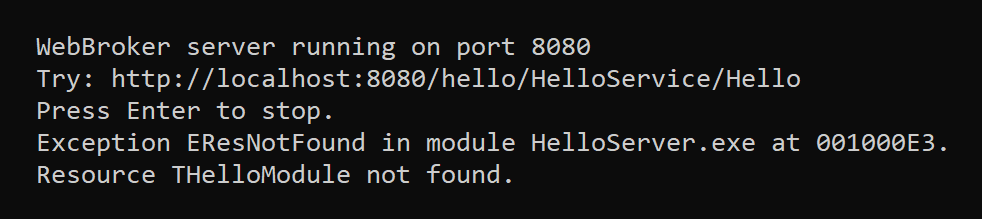
EResNotFound: "Resource THelloModule not found."WebBroker creates the web module only when a request arrives, and its constructor cannot find the resource. TWebModule.Create catches the exception and merely reports it, so the server keeps running -- and prints the message again for every new web module instance. In a wizard-generated module, whose action items and components live in the DFM, the same missing resource would leave the module empty without any further complaint. Two lines are a small price for a clean console, and they keep the IDE happy, too: open the project in Delphi and the web module shows up in the designer like any wizard-generated one.
Step 2: Add the routes and handlers
Now for the actual work. WebBroker routes requests through action items: each TWebActionItem has a PathInfo, a MethodType, and an OnAction event handler. Normally, you add them in the designer's Actions editor. We add them in the constructor instead, which keeps everything visible in one listing:
unit HelloWebModule;

interface

uses
  System.SysUtils,
  System.Classes,
  System.JSON,
  Web.HTTPApp;

type
  THelloModule = class(TWebModule)
  private
    procedure AddRoute(const APathInfo: string; AMethod: TMethodType;
      AHandler: THTTPMethodEvent; ADefault: Boolean = False);
    procedure SendJson(Response: TWebResponse; AStatusCode: Integer;
      AJson: TJSONObject);
    procedure Cors(Sender: TObject; Request: TWebRequest;
      Response: TWebResponse; var Handled: Boolean);
    procedure HelloAction(Sender: TObject; Request: TWebRequest;
      Response: TWebResponse; var Handled: Boolean);
    procedure AddAction(Sender: TObject; Request: TWebRequest;
      Response: TWebResponse; var Handled: Boolean);
    procedure NotFoundAction(Sender: TObject; Request: TWebRequest;
      Response: TWebResponse; var Handled: Boolean);
  public
    constructor Create(AOwner: TComponent); override;
  end;

implementation

{$R *.dfm}

{ THelloModule }

constructor THelloModule.Create(AOwner: TComponent);
begin
  inherited;

  // (1) runs before any action -- adds the CORS headers
  BeforeDispatch := Cors;

  // (2) one action per URL
  AddRoute('/hello/HelloService/Hello', mtGet, HelloAction);
  AddRoute('/hello/HelloService/Add', mtGet, AddAction);

  // (3) the default action answers everything else
  AddRoute('', mtAny, NotFoundAction, True);
end;

procedure THelloModule.AddRoute(const APathInfo: string; AMethod: TMethodType;
  AHandler: THTTPMethodEvent; ADefault: Boolean);
var
  Item: TWebActionItem;
begin
  Item := Actions.Add;
  Item.PathInfo := APathInfo;
  Item.MethodType := AMethod;
  Item.Default := ADefault;
  Item.OnAction := AHandler;
end;

procedure THelloModule.SendJson(Response: TWebResponse; AStatusCode: Integer;
  AJson: TJSONObject);
begin
  try
    Response.StatusCode := AStatusCode;
    Response.ContentType := 'application/json; charset=utf-8';
    Response.Content := AJson.ToJSON;
  finally
    AJson.Free;
  end;
end;

procedure THelloModule.Cors(Sender: TObject; Request: TWebRequest;
  Response: TWebResponse; var Handled: Boolean);
begin
  // (4) CORS: '*' allows EVERY origin, which effectively switches the
  // browser's cross-origin protection off for this server. Fine for
  // development; in production, replace '*' with the origin of your
  // web application, e.g. 'https://app.example.com'.
  Response.SetCustomHeader('Access-Control-Allow-Origin', '*');

  // (5) answer the browser's preflight request right here
  if SameText(Request.Method, 'OPTIONS') then
  begin
    Response.SetCustomHeader('Access-Control-Allow-Methods', 'GET, OPTIONS');
    Response.SetCustomHeader('Access-Control-Allow-Headers', 'Content-Type');
    Response.StatusCode := 204;
    Handled := True;
  end;
end;

procedure THelloModule.HelloAction(Sender: TObject; Request: TWebRequest;
  Response: TWebResponse; var Handled: Boolean);
begin
  SendJson(Response, 200,
    TJSONObject.Create.AddPair('value', 'Hello from WebBroker!'));
end;

procedure THelloModule.AddAction(Sender: TObject; Request: TWebRequest;
  Response: TWebResponse; var Handled: Boolean);
var
  A, B: Integer;
begin
  // (6) nobody converts the parameters for us -- we do it ourselves
  if TryStrToInt(Request.QueryFields.Values['A'], A) and
    TryStrToInt(Request.QueryFields.Values['B'], B) then
    SendJson(Response, 200,
      TJSONObject.Create.AddPair('value', TJSONNumber.Create(A + B)))
  else
    SendJson(Response, 400,
      TJSONObject.Create.AddPair('error', 'A and B must be integers'));
end;

procedure THelloModule.NotFoundAction(Sender: TObject; Request: TWebRequest;
  Response: TWebResponse; var Handled: Boolean);
begin
  SendJson(Response, 404,
    TJSONObject.Create.AddPair('error', 'Not found: ' + Request.PathInfo));
end;

end.
The numbers in the comments match the following notes:
BeforeDispatchis an event of the web module that fires before WebBroker looks at any action item. That makes it the right place for things every response needs. We look at the CORS code itself in the next step.AddRouteis a small helper of ours that creates an action item and fills in its four properties.mtGetrestricts both routes toGET, so aPOSTto the same URL is not answered by them.- The action with
Defaultset toTrueis the one WebBroker calls when no other action handled the request. Ours answers with a 404 and a JSON error message, so a client always gets JSON back, even for a typo in the URL. - The CORS header. It gets its own section below.
- The preflight answer, also explained below.
- Here is the first real difference from XData. XData took
AandBout of the query string, converted them to integers, and complained on its own if that failed. In WebBroker,Request.QueryFieldsgives us the raw strings, andTryStrToIntdoes the rest. If either value is missing or not a number, the client gets a 400 with an explanation.
The JSON side is refreshingly short, thanks to System.JSON. TJSONObject.Create.AddPair(...) builds the object in one expression, and SendJson sets status, content type, and content, and then frees the object. I made it the owner on purpose: every handler creates its JSON object and hands it over, so nobody has to remember a try..finally in six places.
Note that none of the handlers sets Handled. It arrives as True, which means "this action took care of the request". You would only set it to False if you wanted WebBroker to keep looking for another action.
Step 3: Add CORS
The server would run without the Cors method, and curl would never notice the difference. A web application would. Browsers enforce the same-origin policy: JavaScript loaded from http://localhost:3000 may not read responses from http://localhost:8080 unless that server explicitly permits it through CORS headers. In the XData post, I described the emails I get about exactly this, and the answer has not changed.
With XData, one line of middleware did two jobs. WebBroker has no CORS component, so we do both jobs by hand in BeforeDispatch:
- Every response gets the
Access-Control-Allow-Originheader. That is the permission itself. - For certain requests -- a
DELETE, or anything with a JSON body -- the browser first sends a so-called preflight request with theOPTIONSmethod and asks whether the real request is allowed. We answer it right away with the allowed methods and headers, a204 No Content, andHandled := True. According to the documentation of BeforeDispatch, a handled request is not passed to any action item, so the preflight never reaches our routes.
Our two operations are simple GET requests, which do not trigger a preflight at all. I added the answer anyway, because the first POST with a JSON body you add later will need it, and a forgotten preflight produces the same confusing browser error as a missing header.
As before, keep in mind that CORS is a rule browsers follow. It does not authenticate anybody, and curl ignores it entirely.
Step 4: Write the server program
Now we plug the pieces together in the project file. Create HelloServer.dpr with the following content:
program HelloServer;

{$APPTYPE CONSOLE}

uses
  System.SysUtils,
  Web.WebReq,
  IdHTTPWebBrokerBridge,
  HelloWebModule in 'HelloWebModule.pas' {HelloModule: TWebModule};

const
  PORT = 8080;

var
  Server: TIdHTTPWebBrokerBridge;
begin
  try
    // (1) tell WebBroker which class answers the requests
    WebRequestHandler.WebModuleClass := THelloModule;

    // (2) the HTTP server: Indy, bridged to WebBroker
    Server := TIdHTTPWebBrokerBridge.Create(nil);
    try
      Server.DefaultPort := PORT;
      Server.Active := True;

      WriteLn('WebBroker server running on port ', PORT);
      WriteLn('Try: http://localhost:8080/hello/HelloService/Hello');
      WriteLn('Press Enter to stop.');
      ReadLn;

      Server.Active := False;
    finally
      Server.Free;
    end;
  except
    on E: Exception do
    begin
      WriteLn(E.ClassName, ': ', E.Message);
      ExitCode := 1;
    end;
  end;
end.
Again, the numbers match the comments:
WebRequestHandleris the object that creates web modules and passes requests to them. We tell it which class to use. Note that we assign a class, not an instance: WebBroker creates the web modules itself, one for each request that is being processed at the same time, and keeps them around for reuse. Thus, a field inTHelloModuleis never shared between two concurrent requests -- which will matter once we add a database connection later in this series.TIdHTTPWebBrokerBridgeis the Indy HTTP server with the WebBroker bridge built in. Set the port, setActivetoTrue, and it listens.
You might wonder how WebRequestHandler knows that it should work with Indy. The unit IdHTTPWebBrokerBridge registers itself in its initialization section -- the same self-registration trick that XData used for our service. Having the unit in the uses clause is the connection.
I kept the program deliberately smaller than what the WebBroker wizard generates. The wizard's console application adds commands to start, stop, and change the port at runtime, which is convenient but has nothing to do with serving requests. We start listening, wait for Enter, and stop.
Step 5: Run it and call the service
Compile the project and start HelloServer.exe. Here is the step that I did not have to write: there is no URL reservation. Indy does not use http.sys, so Windows does not ask who may listen on which URL, and no administrator prompt is involved. Depending on your settings, the Windows Defender Firewall may ask on the first start whether the program may accept connections from the network. For requests from your own machine, you do not need to allow it.

Open a browser and enter http://localhost:8080/hello/HelloService/Hello, or use curl from a second console window:
curl http://localhost:8080/hello/HelloService/HelloThe response is a small JSON document:
{"value":"Hello from WebBroker!"}I used the same value wrapper that XData produces, so a client written against the XData server only has to change the port. TJSONObject.ToJSON writes compact JSON without line breaks; the content is identical. The second operation works as well:
curl "http://localhost:8080/hello/HelloService/Add?A=2&B=3"It answers with {"value":5}. Now try Add?A=2&B=x and you get a 400 with our error message; try any other path and you get the 404 from the default action. Neat.
That is a working REST server. Three source files, one of them two lines long, and nothing to install.
What XData did for us, and what we now do ourselves
Now that both versions exist, let's be honest about the difference, because it is the real content of this post. The table lists each job and who does it.
| Job | TMS XData | WebBroker |
|---|---|---|
| Routing | derived from interface and method names | action items with PathInfo |
| Parameters | converted automatically | QueryFields plus TryStrToInt |
| JSON | serialized automatically | System.JSON by hand |
| CORS and preflight | TCorsMiddleware | BeforeDispatch by hand |
| HTTP server | http.sys, needs URL reservation | Indy, in-process |
| Cost | commercial license | included with Delphi |
For two operations, the hand-written version is perfectly manageable, and I would not hesitate to use it for a small internal service. In my opinion, though, the picture changes as the service grows. Twenty operations with a few parameters each means twenty blocks of conversion and validation code that XData simply does not have, plus serialization of whole objects and lists, which is where a framework really earns its money. XData also publishes an OpenAPI description of the service, and ties in with TMS Aurelius when a database is involved.
The counter-argument deserves its full weight. Every line of the WebBroker server is visible and debuggable, there is no license to renew, and the dependency list is empty. For a team that has to justify every third-party package -- and I have worked with a few -- that is not a small thing. Choose by the size of the service and the budget, not by habit.
Where this minimal server ends
As with the XData version, I presented the bare minimum, and you should know what is missing: no HTTPS, no authentication, no logging, no database. Indy can serve HTTPS, but it relies on the OpenSSL libraries for that, which you have to deploy alongside your executable. In production, it is also common to put a reverse proxy in front of the service and let it handle TLS.
The console application is not the only way to host a web module, either. WebBroker supports several types of web server applications, including ISAPI DLLs for IIS and Apache modules, and the same THelloModule works in all of them. That portability is one of the nicest properties of the design.
Takeaways
We set out to rebuild the XData example with nothing but what ships with Delphi, and it took the same five steps -- minus the URL reservation, plus a CORS handler of our own. The web module needs its form file, even an empty one. Action items do the routing, BeforeDispatch is the place for headers that every response needs, and System.JSON makes hand-written JSON short enough that it does not hurt.
WebBroker gives you the request and the response. Everything in between is yours -- which is both its cost and its charm.
In the next post, we will keep this server and let it answer with HTML: we will add WebStencils, Embarcadero's template engine, and render our first page from a template with a layout, a loop, and a condition. Copy the three files into a folder, open HelloServer.dpr, and make sure you are ready to go!