In Part 1 we met System.IOUtils and its central surprise — that TFile, TDirectory, and TPath are records, not classes, so you call them through the type name and never Create or Free a thing. We put TFile through its paces: reading a whole file in one line, writing, copying, inspecting.
But files live in folders, and folders live at paths that look maddeningly different on Windows (C:\Users\me\Documents) than on macOS or Linux (/Users/me/Documents, /home/me/Documents). This is exactly where IOUtils stops being a convenience and starts being the right tool: TDirectory lists and walks folders in a single call, and TPath builds and takes apart paths — and tells you where the Documents folder is — without you ever hardcoding a separator or a drive letter.
This is the second half of the cookbook. Same format: the SysUtils way you know, beside the IOUtils way, recipe by recipe. We'll cover directories, then paths, and then — as promised — close with a complete one-page reference to every record and method in the unit, so you can bookmark this and stop guessing. Let's finish the tour.
Recipe: list the files in a folder
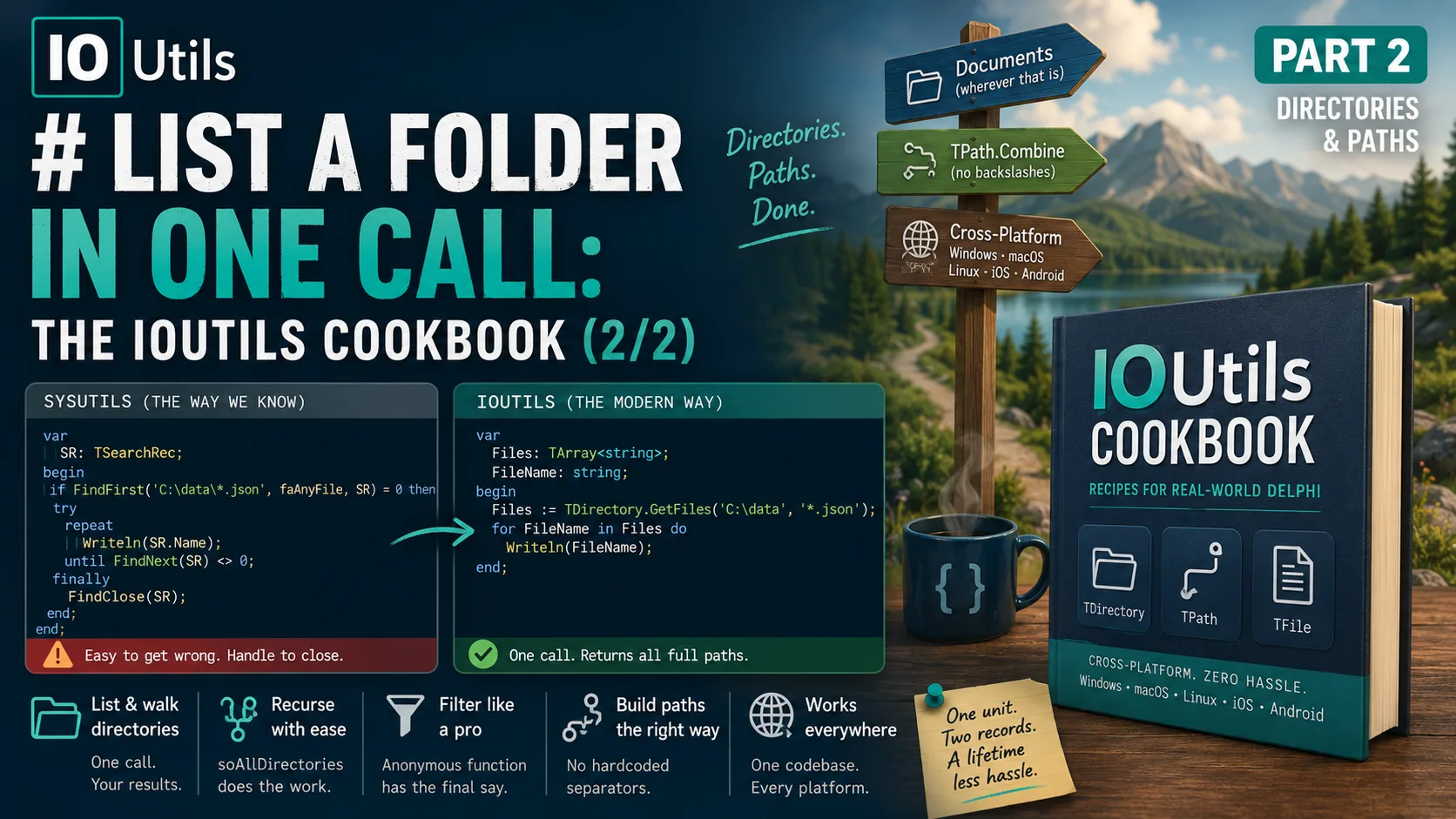
The classic way to enumerate a directory is the FindFirst/FindNext/FindClose loop — a genuine rite of passage in Delphi, and one that's easy to get subtly wrong (forget FindClose and you leak a handle):
var
  SR: TSearchRec;
begin
  if FindFirst('C:\data\*.json', faAnyFile, SR) = 0 then
  try
    repeat
      Writeln(SR.Name);
    until FindNext(SR) <> 0;
  finally
    FindClose(SR);
  end;
end;
The IOUtils way is a single call that hands you back a TArray<string> of full paths — no loop, no handle to close:
var
  Files: TArray<string>;
  FileName: string;
begin
  Files := TDirectory.GetFiles('C:\data', '*.json');
  for FileName in Files do
    Writeln(FileName);
end;
TDirectory.GetFiles is richly overloaded — that's the RTL giving you one name for many needs. The overloads let you add:
- a search pattern (
'*.json') to filter by mask; - a
TSearchOption—soTopDirectoryOnly(the default) orsoAllDirectoriesto recurse into every subfolder in one call; - a filter predicate, an anonymous function that gets the final say on each entry.
Here's the power move — every .log file in an entire tree, filtered to those over a megabyte, in one expression:
Files := TDirectory.GetFiles('C:\logs', '*.log', TSearchOption.soAllDirectories,
  function(const Path: string; const Rec: TSearchRec): Boolean
  begin
    Result := Rec.Size > 1024 * 1024;
  end);
That predicate parameter is a genuinely lovely piece of API design, and it's worth seeing how the pieces fit together.
Read left to right, that's the whole filtering pipeline: start with everything, narrow by pattern, optionally widen by recursion, and let your predicate make the final call — all inside one method call that returns a plain array.
Recipe: create, check, and delete a directory
The directory-level cousins of the file operations from Part 1, and they read just as cleanly. Note that CreateDirectory makes intermediate folders for you — the equivalent of the old ForceDirectories, not the single-level MkDir:
| Task | SysUtils | IOUtils |
|---|---|---|
| Does it exist? | DirectoryExists(Path) | TDirectory.Exists(Path) |
| Create (incl. parents) | ForceDirectories(Path) | TDirectory.CreateDirectory(Path) |
| Delete | RemoveDir(Path) (must be empty) | TDirectory.Delete(Path, True) (recursive) |
| List subfolders | FindFirst loop with faDirectory | TDirectory.GetDirectories(Path) |
| Is it empty? | (manual loop) | TDirectory.IsEmpty(Path) |
Two of these deserve a spotlight. TDirectory.Delete(Path, True) deletes a folder and everything inside it recursively — powerful, and correspondingly easy to point at the wrong path, so treat it with the respect you'd give rm -rf. And TDirectory.IsEmpty answers a question that used to require its own little loop, which is the kind of small ergonomic win that adds up across a codebase.
Recipe: copy or move a whole directory tree
This is the one that used to mean writing a recursive helper by hand. TDirectory does it in a single call — copying every file and subfolder, or moving the whole tree at once:
TDirectory.Copy('C:\project\src', 'C:\backup\src');   // deep copy, files + subfolders
TDirectory.Move('C:\project\old', 'C:\project\new');  // relocate/rename the whole tree
There's no tidy SysUtils one-liner to put beside these — that's precisely the point. The classic equivalent is a hand-rolled recursion over FindFirst, and every developer who wrote one wrote a slightly different set of edge-case bugs. Letting the RTL own that logic is a real reduction in surface area for mistakes.
Recipe: build a path without hardcoding a separator
Now TPath, and the recipe that pays for the whole unit if you ever ship to more than one OS. The instinct we all have is to glue paths with a backslash and a bit of string surgery:
// Fragile: assumes '\', assumes no trailing separator, breaks on macOS/Linux
FullName := Folder + '\' + FileName;
TPath.Combine does it correctly — it inserts the platform's own separator (\ on Windows, / on POSIX) and handles the trailing-separator edge cases you'd otherwise get wrong:
FullName := TPath.Combine(Folder, FileName);
// overloads take 3, 4, or an open array of segments:
FullName := TPath.Combine([BaseDir, 'reports', '2026', 'july.pdf']);
And taking a path apart is just as clean — no ExtractFileName/ExtractFileExt/ExtractFilePath trio to remember which does which:
TPath.GetFileName('C:\data\report.pdf');               // 'report.pdf'
TPath.GetFileNameWithoutExtension('C:\data\report.pdf'); // 'report'
TPath.GetExtension('C:\data\report.pdf');              // '.pdf'
TPath.GetDirectoryName('C:\data\report.pdf');          // 'C:\data'
TPath.ChangeExtension('report.pdf', '.txt'); // 'report.txt'Recipe: find where the Documents folder actually is
This is TPath's quiet superpower, and it's the strongest single reason to learn it. Hardcoding C:\Users\...\Documents is wrong the moment your app runs on macOS, and even on Windows it's wrong for redirected or localized profiles. TPath resolves the real location for you, per platform, at runtime:
Docs   := TPath.GetDocumentsPath;   // the user's Documents folder
Home   := TPath.GetHomePath;        // the user's home / app-data root
Temp   := TPath.GetTempPath;        // the system temp directory
Cache  := TPath.GetCachePath;       // per-app cache location
Pics   := TPath.GetPicturesPath;    // the user's Pictures folder
To show this isn't hand-waving, here is what TPath.GetDocumentsPath actually does inside the RTL — a different, correct call on every platform:
class function TPath.GetDocumentsPath: string;
{$IFDEF MSWINDOWS}
  // SHGetFolderPath(..., CSIDL_PERSONAL, ...)
{$ENDIF}
{$IFDEF MACOS}
  // InternalGetMACOSPath(NSDocumentDirectory, NSUserDomainMask)
{$ENDIF}
{$IFDEF ANDROID}
  // GetFilesDir
{$ENDIF}
{$IFDEF LINUX}
  // InternalXDGGetUserDir(Documents)   // reads the XDG user-dirs config
{$ENDIF}
end;
One method name; four completely different OS mechanisms behind it. That's the value proposition of IOUtils distilled into a single call — you write the intent, the RTL knows the platform.
The diagram is the argument: you commit to one line at the top, and the RTL fans it out to the correct native mechanism on each OS below. That's what "cross-platform" should feel like.
The complete reference
As promised, here is the whole unit at a glance — every public record and its methods, grouped by purpose. This is the map to keep next to your keyboard. (Types and signatures are from System.IOUtils.pas as shipped with RAD Studio; the authoritative per-method docs live on the DocWiki.)
The types (all records and enums)
The unit declares three records and the enums they use. Every method on the records is class ... static — call it on the type name.
| Type | Kind | What it's for |
|---|---|---|
TFile | record | Operations on individual files (Part 1) |
TDirectory | record | Operations on folders and their contents |
TPath | record | Building, splitting, and locating paths |
TSearchOption | enum | soTopDirectoryOnly, soAllDirectories |
TFileAttribute / TFileAttributes | enum / set | File attributes — platform-specific set |
TFileMode / TFileAccess / TFileShare | enum | Stream open modes for TFile.Open |
TFile — file operations
The workhorse from Part 1. Read/write helpers return values; Open*/Create* return objects you must free.
| Group | Methods |
|---|---|
| Existence & info | Exists, GetSize, GetAttributes, SetAttributes |
| Read whole file | ReadAllText, ReadAllLines, ReadAllBytes |
| Write whole file | WriteAllText, WriteAllLines, WriteAllBytes, AppendAllText |
| Streaming (returns objects to free) | Create, Open, OpenRead, OpenWrite, OpenText, CreateText, AppendText, GetLinesEnumerator |
| Copy / move / delete | Copy, Move, Delete, Replace |
| Timestamps | GetCreationTime, GetLastWriteTime, GetLastAccessTime (+ …Utc and Set… variants) |
| Symlinks | CreateSymLink, GetSymLinkTarget |
| Windows-only | Encrypt, Decrypt |
TDirectory — folder operations
Listing methods return TArray<string>; the …Enumerator variants return a lazy IEnumerable<string>.
| Group | Methods |
|---|---|
| Existence & lifecycle | Exists, CreateDirectory, Delete, IsEmpty |
| List contents | GetFiles, GetDirectories, GetFileSystemEntries (each with …Enumerator siblings) |
| Copy / move | Copy, Move |
| Navigation | GetParent, GetDirectoryRoot, GetLogicalDrives, IsRelativePath |
| Current directory | GetCurrentDirectory, SetCurrentDirectory |
| Attributes & timestamps | GetAttributes, SetAttributes, GetCreationTime, GetLastWriteTime, GetLastAccessTime (+ …Utc / Set…) |
TPath — path & location operations
Pure helpers — no file system touched by the string methods. The Get…Path family is where the cross-platform magic lives.
| Group | Methods |
|---|---|
| Build & split | Combine, GetDirectoryName, GetFileName, GetFileNameWithoutExtension, GetExtension, ChangeExtension, HasExtension, GetFullPath, GetPathRoot |
| Validation | IsValidFileNameChar, IsValidPathChar, HasValidFileNameChars, HasValidPathChars, GetInvalidFileNameChars, GetInvalidPathChars, MatchesPattern |
| Path shape tests | IsRelativePath, IsPathRooted, IsDriveRooted, IsUNCPath, DriveExists |
| Temp & random names | GetTempPath, GetTempFileName, GetRandomFileName, GetGUIDFileName |
| Cross-platform locations | GetHomePath, GetDocumentsPath, GetSharedDocumentsPath, GetCachePath, GetLibraryPath, GetPublicPath, GetDesktopPath, GetDownloadsPath, GetPicturesPath, GetMusicPath, GetMoviesPath, GetCameraPath (+ several Shared… variants) |
| Separators (class properties) | DirectorySeparatorChar, AltDirectorySeparatorChar, PathSeparator, VolumeSeparatorChar, ExtensionSeparatorChar |
A fair word on the alternatives
As in Part 1, house rules ask me to name the wider field honestly, and TPath in particular has close cousins worth respecting. .NET's System.IO.Path and Environment.SpecialFolder do the same combining and known-folder resolution that TPath does — indeed IOUtils was modeled on them. Python's pathlib.Path is arguably the most elegant of the bunch, treating paths as first-class objects with operator overloading. Node's node:path plus os.homedir() cover the same ground for JavaScript. Each is a fine tool in its own ecosystem. What TDirectory/TPath offer the Delphi developer is that these conveniences are already in your RTL, compile to native code, and behave identically across all five Delphi targets — no extra dependency, nothing to install. Use the tool that lives where your code lives.
Takeaways
Across both parts, the thesis was simple: modern Delphi has a cleaner, cross-platform vocabulary for the file system than many of us ever learned — and it's been sitting in the RTL since 2010. Here's what to carry away:
TDirectorycollapses theFindFirst/FindNext/FindCloseloop intoGetFiles/GetDirectories, with optional pattern, recursion, and predicate — and deepCopy/Move/Deleteyou no longer have to hand-roll.TPathbuilds and splits paths without hardcoded separators, and — its real superpower — resolves where the Documents, Home, Temp, and Cache folders live, correctly, on every platform.- All three (
TFile,TDirectory,TPath) are records: call them on the type name, neverCreateorFreethem. The only things you free are the streams and readers they hand back. - None of this makes the classic
SysUtilsfunctions wrong.IOUtilswins on coherence and portability, not on beating any single old function. Pick by fit.
TFile,TDirectory,TPath— one coherent, cross-platform record API for everything you do with the file system, and it's already in your RTL. Open the unit.
If you skipped it, Part 1 covers files — reading, writing, and inspecting — and explains the records-not-classes design in full. Together the two parts are the tour of System.IOUtils I wish someone had given me years ago. Now go read a whole file in one line.