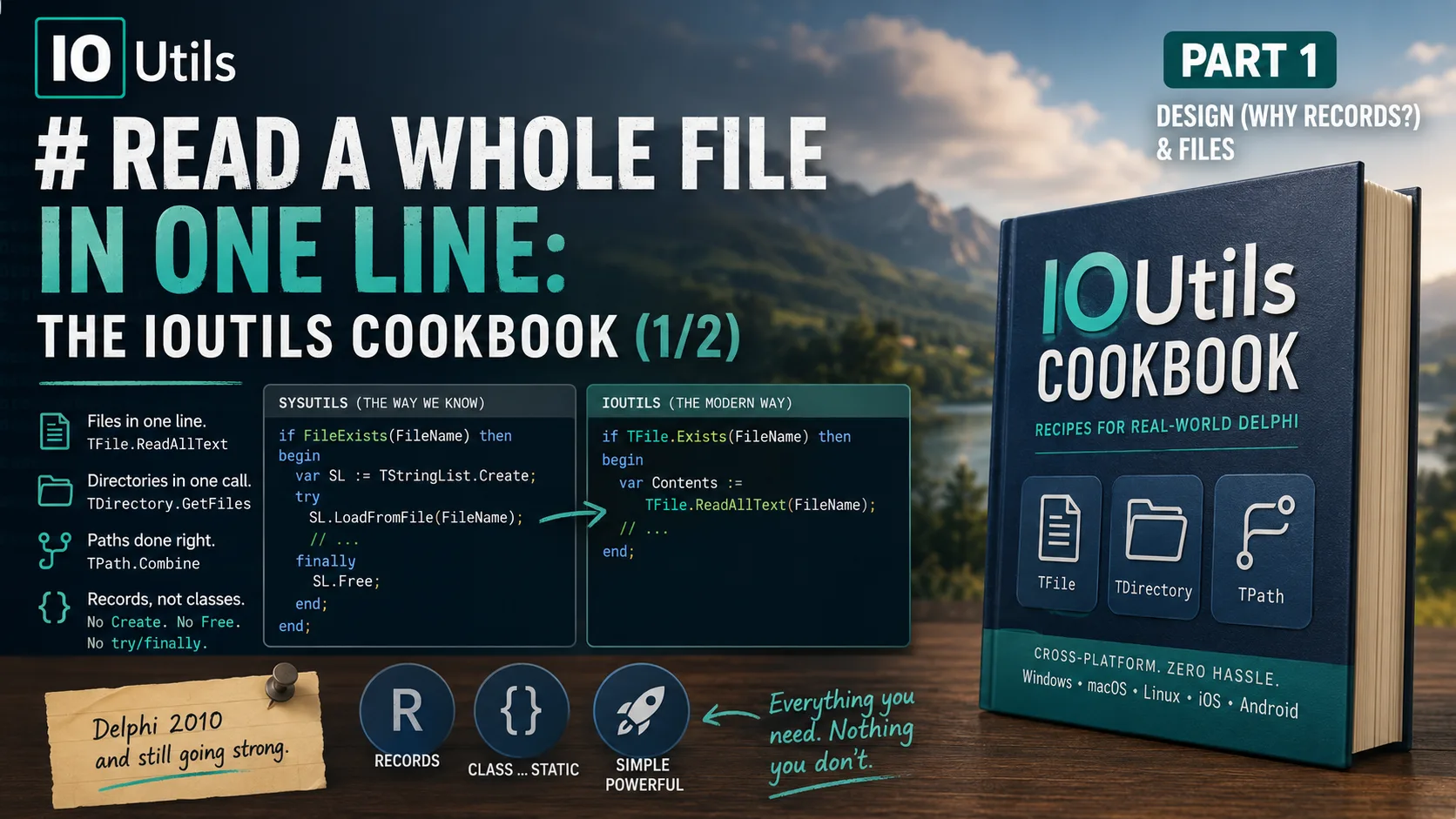
Here's a line of Delphi almost every one of us has typed:
if FileExists(FileName) then
  // ...
It works. It has worked since the last century. There is nothing wrong with it. But somewhere along the way — quietly, without a fanfare that reached most of us — the RTL grew a second way to ask that question:
if TFile.Exists(FileName) then
  // ...
Same answer. Different unit. And that second unit — System.IOUtils — is one of the most quietly useful corners of the modern Delphi RTL that a great many working Delphi developers have simply never opened. It has been there since Delphi 2010. It reads a whole text file in one line. It lists a directory in one call. It builds paths that behave correctly on Windows, macOS, Linux, iOS, and Android without you touching a single backslash. And — a detail I want to make a real point of in this series — the things you call it through are records, not classes. There is no Create, no Free, no try/finally.
This is a two-part, show-me-the-code cookbook. Every recipe is the plain old SysUtils way you already know, set side by side with the IOUtils way — so you can decide, task by task, which one fits. Part 1 is about the design (why records?) and about files: reading, writing, copying, moving, deleting, and inspecting them. Part 2 takes on directories and paths. By the end of this part you'll be reaching for TFile without thinking about it.
First, the thing nobody told you: these are records
Open System.IOUtils and look at the three names that matter. Here is how the RTL actually declares them — copied from the interface section of System.IOUtils.pas (© Embarcadero, shipped with RAD Studio):
TDirectory = record
  // ...
end;

TPath = record
  // ...
end;

TFile = record
  // ...
end;
Not class. record. That one keyword changes everything about how you use them, so it's worth pausing on.
A Delphi record is a value type. Unlike a class, you never allocate it on the heap and you never free it. And since Delphi 2009 gave records the ability to hold methods, a record can carry a whole toolbox of functions. IOUtils takes that idea to its logical end: every single method on TFile, TDirectory, and TPath is declared class ... static — meaning it belongs to the type, not to any instance. Here's a representative slice, again straight from the source:
TFile = record
public
  class function Exists(const Path: string; FollowLink: Boolean = True): Boolean; inline; static;
  class function ReadAllText(const Path: string): string; overload; inline; static;
  class procedure WriteAllText(const Path, Contents: string); overload; static;
  class procedure Copy(const SourceFileName, DestFileName: string); overload; inline; static;
  // ... dozens more, all class ... static
end;
The practical upshot: you never create a TFile. You call methods on the type name itself, exactly like a namespace of free functions.
// You do NOT do this — there is nothing to instantiate:
//   var F := TFile.Create;   // this is something else entirely (see the warning below)
//   F.Exists(...);

// You just call through the type:
if TFile.Exists('data.json') then
  Writeln('found it');
Let me draw the contrast that makes this click, because it's the whole reason the design is pleasant to use.
The left column is the familiar object dance: allocate, guard with try/finally, free. The right column is what IOUtils gives you for the common cases — a call that returns a value and leaves nothing behind for you to clean up. That's the ergonomic payoff of the record design, and it's why the rest of this cookbook reads so cleanly.
The honest version of the headline
I opened with FileExists vs. TFile.Exists, and I owe you the truth about what's really going on under the hood, because the flix house rule is that we don't oversell. If you read the implementation of TFile.Exists in the RTL source, here is the entire body:
class function TFile.Exists(const Path: string; FollowLink: Boolean = True): Boolean;
begin
  Result := FileExists(Path, FollowLink);
end;
It calls FileExists. TFile.Exists is not a smarter, faster, or more capable existence check — it's a thin, uniform façade over the same RTL primitive. So if all you ever do is check whether a file exists, FileExists is perfectly fine and there is no reason to feel behind for using it.
The value of IOUtils is not any single method beating its SysUtils cousin. It's coherence: one unit, one naming convention, one mental model that spans files, directories, and paths across every platform Delphi targets — modeled deliberately on .NET's System.IO so the shapes feel familiar. That's the real reason to learn it. Now let's earn that claim recipe by recipe.
Recipe: read an entire text file
This is the one that converts people. Reading a text file the classic way means picking a container, creating it, loading into it, and freeing it:
var
  Lines: TStringList;
  Text: string;
begin
  Lines := TStringList.Create;
  try
    Lines.LoadFromFile('config.ini');
    Text := Lines.Text;
  finally
    Lines.Free;
  end;
end;
The IOUtils way is a single expression that returns the file's contents as a string — no container, no try/finally:
var
  Text: string;
begin
  Text := TFile.ReadAllText('config.ini');
end;
ReadAllText has an overload that takes a TEncoding if you need to force one; with no encoding argument it detects a byte-order mark and falls back to the default. Two sibling methods round out the reading family:
TFile.ReadAllLines('log.txt')returns aTArray<string>— one element per line, ideal forfor … in.TFile.ReadAllBytes('image.png')returns aTBytes— the whole file as raw bytes, perfect for binary content.
Recipe: write, append, and create a text file
Writing mirrors reading. The classic approach again borrows a TStringList:
var
  Lines: TStringList;
begin
  Lines := TStringList.Create;
  try
    Lines.Text := 'Hello, world!';
    Lines.SaveToFile('greeting.txt');
  finally
    Lines.Free;
  end;
end;
With IOUtils it's one call, and it creates the file (or overwrites it) for you:
TFile.WriteAllText('greeting.txt', 'Hello, world!');The whole write/append family is symmetric with the read family, which is the point — once you know one, you know them all:
TFile.WriteAllText('out.txt', SomeString);          // create/overwrite from a string
TFile.WriteAllLines('out.txt', ArrayOfStrings);     // create/overwrite from TArray<string>
TFile.WriteAllBytes('out.bin', SomeBytes);          // create/overwrite from TBytes
TFile.AppendAllText('log.txt', 'another line'#13#10); // add to the end, creating if absent
If you'd rather stream text out yourself, TFile.CreateText returns a fresh TStreamWriter (an object you free), and TFile.AppendText returns one positioned at the end of an existing file.
Recipe: copy, move, and delete a file
Here the IOUtils names are simply clearer than the SysUtils ones — and clarity is worth something when a colleague reads your code six months from now. Compare:
| Task | SysUtils | IOUtils |
|---|---|---|
| Copy a file | CopyFile(PChar(Src), PChar(Dst), False) (Windows API) | TFile.Copy(Src, Dst) |
| Move / rename | RenameFile(Src, Dst) | TFile.Move(Src, Dst) |
| Delete | DeleteFile(FileName) | TFile.Delete(FileName) |
The IOUtils versions read like the sentence you'd say out loud. TFile.Copy has an overload with an Overwrite: Boolean flag; by default it refuses to clobber an existing destination, which is a safer default than the raw Windows CopyFile. Note one deliberate difference in temperament, though.
Recipe: inspect a file — size, timestamps, attributes
This is where IOUtils genuinely saves you from fiddly platform code. Getting a file's size the old way means either opening a stream or calling Windows APIs; TFile.GetSize returns an Int64 directly:
var
  Bytes: Int64;
begin
  Bytes := TFile.GetSize('bigfile.dat');   // -1 if the file can't be read
end;
Timestamps come in a matched set of getters and setters, each with a local-time and a UTC variant — no FileAge, no FindFirst record to pick apart:
Created  := TFile.GetCreationTime('report.pdf');
Written  := TFile.GetLastWriteTime('report.pdf');
Accessed := TFile.GetLastAccessTime('report.pdf');
// UTC siblings: GetCreationTimeUtc, GetLastWriteTimeUtc, GetLastAccessTimeUtc
// and the matching SetXxx / SetXxxUtc procedures
Attributes come back as a TFileAttributes set, which is far more pleasant than bit-twiddling an integer of flags:
if TFileAttribute.faReadOnly in TFile.GetAttributes('locked.txt') then
  Writeln('read-only');
There's a cross-platform subtlety worth knowing here, and it's a good example of the whole unit's design showing through.
Recipe: open a file as a stream, the modern way
Sometimes you do need a real stream — to hand to a parser, a JSON reader, or a network component. TFile gives you clean factories for that, and this is the one place the object rules come back, so let's be explicit about ownership.
var
  Stream: TFileStream;
begin
  Stream := TFile.OpenRead('data.bin');   // returns an object YOU own
  try
    // ... read from Stream ...
  finally
    Stream.Free;                          // your responsibility now
  end;
end;TFile.OpenRead, TFile.OpenWrite, and the flexible TFile.Open(Path, Mode, Access, Share) all return a TFileStream you must free — because a stream, unlike the record, genuinely has a lifetime. The mental model stays consistent with everything in this blog: records are value-typed helpers you never free; the objects they hand back are yours. If you want the deep treatment of object and stream ownership, my interfaces post and Dalija Prasnikar's Delphi Memory Management both go further than I can here.
The picture is the entire ownership story in one glance: everything left of the arrow is call-and-forget; everything right of it is yours to clean up.
A fair word on the alternatives
Because this is a Delphi-centric post, house rules say I name the wider landscape honestly. If you work across ecosystems, the shape of IOUtils will feel familiar for a reason: it was modeled on .NET's System.IO, whose File, Directory, and Path classes it mirrors almost method-for-method. Node.js developers reach for node:fs (fs.readFileSync, fs.promises), Python developers for the elegant object-oriented pathlib and the venerable os/shutil pair. Each of these is excellent in its own home. What IOUtils gives the Delphi developer is that same one-liner convenience natively compiled, in the language you already ship — no runtime, no interpreter, the same binary on five platforms. Reach for whichever lives where your code lives; if your code is Delphi, this is the tool that was hiding in your RTL all along.
Where Part 1 leaves you
We set out to show that modern Delphi has a cleaner, cross-platform vocabulary for file work than many of us ever learned — and to be honest about exactly how far that claim reaches. Here's what actually holds:
System.IOUtilsgives youTFile,TDirectory, andTPath— records, not classes. You call methods on the type name; you neverCreateorFreethem. (The one trap:TFile.Createreturns a stream you do own.)- For files,
TFileturns multi-line ceremonies into single expressions:ReadAllText,WriteAllText,Copy,Move,Delete,GetSize,GetLastWriteTime,GetAttributes. - The convenience is real, but the magic is coherence, not raw power —
TFile.Existsliterally callsFileExists. UseIOUtilsfor a uniform, cross-platform API, not because the old functions are broken. - When a method hands back a
TFileStreamorTStreamReader, that object is yours to free. The record isn't.
Modern Delphi didn't replace
FileExists. It gaveFileExistsa whole family — one coherent, cross-platform record API for everything you do with the file system.
Part 2 takes the same recipe-driven approach to directories (TDirectory — create, list, walk, copy trees) and paths (TPath — combining, splitting, and the genuinely indispensable cross-platform folder locations like GetDocumentsPath), and closes with a complete, one-page reference to every record and method in the unit. If you write files, you'll want the directory and path tools that go with them. See you there.