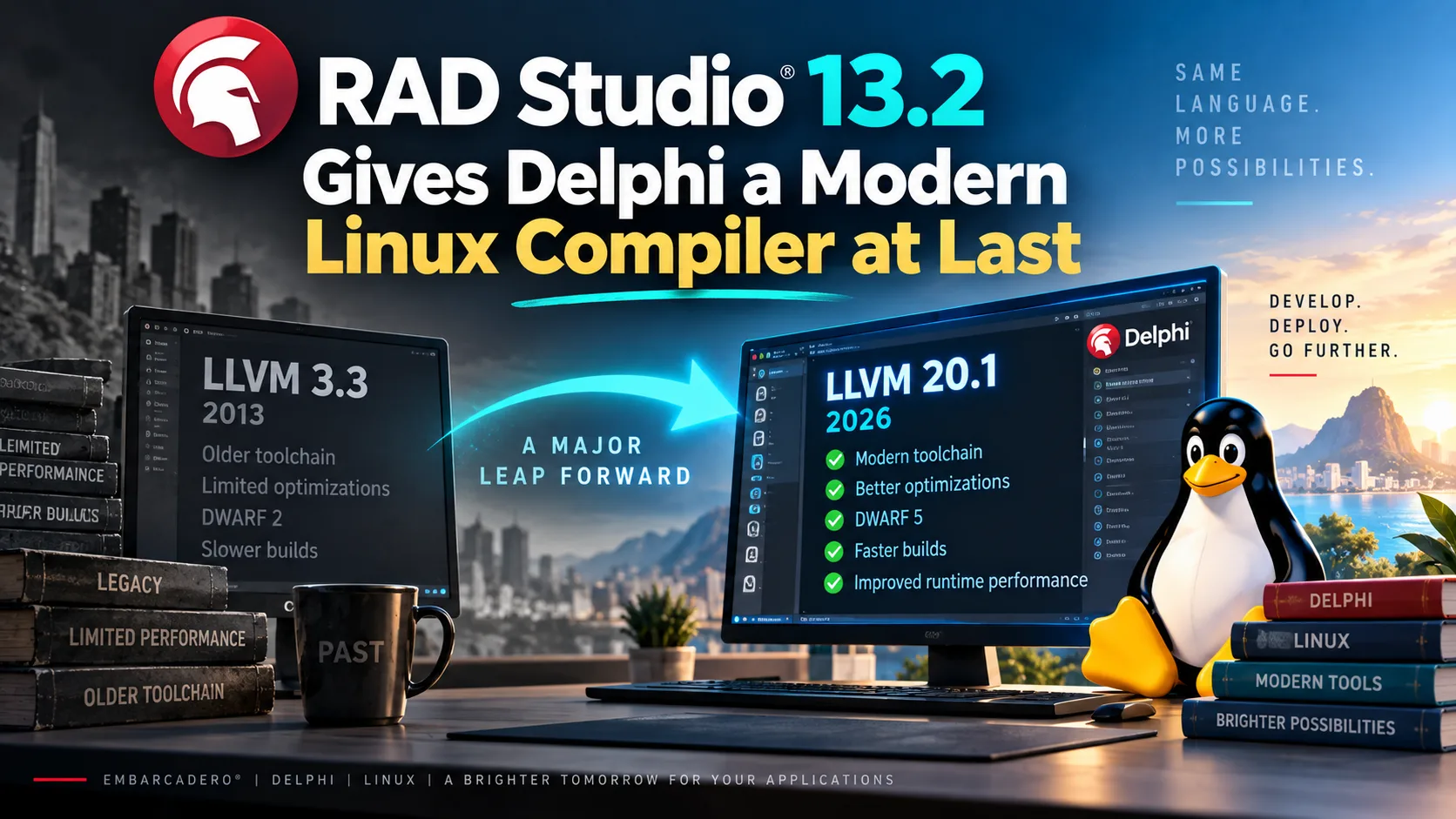
Every so often a release note contains a number that makes you stop and read it twice. For me, in RAD Studio 13.2, that number was 3.3.
That is the LLVM version the Delphi Linux Intel 64-bit compiler had been built on until last week. Marco Cantù put it plainly when he announced the work: "The current compiler is based on LLVM 3.3, which was released a long time ago." A long time ago is June 2013. In the meantime, the rest of the world moved on -- Clang, Rust, Swift, and half the toolchains you rely on every day have been riding modern LLVM releases for years. Delphi's Linux backend stayed where it was. With RAD Studio 13.2 Florence, released on September 17, 2026, it jumped straight to LLVM 20.1 -- thirteen years of compiler research in a single update.
Let me scope that properly before anyone accuses me of cheerleading: LLVM 20.1 is not the newest LLVM either. The project is on 23.x by now, so Delphi is still a few majors behind the bleeding edge. The difference is that being three years behind is ordinary for a commercial toolchain, while being thirteen years behind was a real handicap.
I want to walk through what that jump actually buys you, because the marketing numbers around it are unusually good -- and, for once, unusually well documented. I also want to be honest about the parts that will cost you an afternoon: a new glibc floor, an edition restriction, and one small change to the generics rules that has nothing to do with Linux and will happily stop your Windows build too. Along the way we will look at the IDE work and the two new VCL controls, because those are the parts you will touch every single day.
Why LLVM 3.3 was the whole problem
Before we talk about speed, it helps to understand where the old compiler's ceiling came from.
A compiler like this has two halves. The front end reads Object Pascal, checks it, and lowers it into LLVM's own intermediate representation -- LLVM IR, a sort of portable pseudo-assembly. The back end takes that IR, optimizes it, and turns it into machine code for the target CPU. Embarcadero writes the front end. LLVM is the back end. Thus, every optimization that LLVM's contributors added between 2013 and 2026 -- and there were a great many -- simply did not exist for your Linux builds. You were compiling modern Delphi code through a thirteen-year-old optimizer.
Notice what does not change in that picture: the front end, and therefore your code. This is a back end swap. The same units you compile today are what you feed the new toolchain -- which is precisely why the performance story is believable rather than suspicious.
Three things moved together, according to Embarcadero's own write-up of the new Linux toolchain: the compiler back end went to LLVM 20.1, the GNU gold linker was replaced by "a customized version of LLVM's LLD linker", and debug information moved from DWARF 2 to DWARF 5. DWARF is the debug information format that Linux debuggers read; version 2 dates back to 1993, and the gap in what a debugger can tell you about your variables is not subtle.
The speed story, with the asterisks attached
Two different improvements get reported as "faster", and conflating them leads to disappointment. Let's separate them.
The first is build time, and it comes from parallel code generation. The 64-bit compilers can now generate code for multiple Delphi units at the same time instead of marching through them one after another. Embarcadero's compiler post gives the concrete case: rebuilding the FireMonkey units on a 10-core Intel Core i9-13900H was about twice as fast for Debug and about fourteen times as fast for Release.
That 14x is the number everyone quotes, so let me put the asterisk on it right away. It is a Release rebuild of a large, unusually parallel-friendly body of source, on a ten-core machine. A four-core laptop cannot produce fourteen workers out of thin air. Debug builds -- which is what you actually do all day -- showed roughly 2x in that same test. Two times is genuinely excellent. It is also not fourteen.
The second improvement is runtime speed, and it comes from the optimizer itself. Here Embarcadero reports "runtime improvements in the two-to-four-times range", with a Conway's Game of Life test reaching roughly seven times. Note that the 2-4x band is the honest headline and the 7x is the outlier they were transparent enough to identify as a specific test.
Read that diagram from the point of view of your own day. The left box is what you feel every time you press F9. The right box is what your customer feels, and only in Release builds -- which is a good reason to check that your nightly build and your deployment pipeline are actually producing Release configurations, something I have caught more than one team getting wrong.
Now the caveat that nobody put on a slide. From the same compiler post: with the new optimizations turned on, Release compilation can take 34 to 42 percent longer before parallel code generation offsets the slowdown. In other words, the optimizer costs real time, and the parallelism is what pays for it. On a machine with few cores you may end up with faster applications and slower Release builds. That is still a trade I would take -- but you should know you are making it.
Parallel code generation is configurable, and Dalija Prasnikar, who wrote the book on Delphi memory management and does not hand out compliments carelessly, tested the settings: "You can select the desired number of worker threads, where 0 leaves that selection to automatic process (I got the best results on the Auto setting), 1 is the same as old serial code generation as it uses only a single worker, and, of course, any other number will create that many workers." Leave it on Auto. Set it to 1 if you ever need to rule the feature out while chasing a bug.
The price of admission: glibc, editions, and where your code runs
Good news rarely arrives without conditions, and here there are three you need to check before you plan an upgrade.
The new toolchain takes glibc 2.31 as its runtime baseline. glibc is the GNU C library -- the layer between your application and the Linux kernel -- and its version is effectively a floor on which distributions your binary will run. Embarcadero names the consequence plainly: distributions older than Ubuntu 20.04, which was released in 2020, are out. If you deploy onto a long-lived CentOS 7 box in a data center somewhere, this is the sentence in the release notes that matters most to you, and no compiler flag will argue you out of it.
The second condition: the Linux Intel 64-bit compiler is available "only in the Enterprise and Architect editions of Delphi and RAD Studio". That has always been true for Linux, and it is still true. If you are on Professional, the headline feature of 13.2 is not yours, and I would rather you learned that here than after the download.
The third is the happy one. You can now build Linux Intel 64-bit applications directly from the 64-bit RAD Studio IDE, alongside Win64 and Arm64EC. The 64-bit compiler also drops the address space limits that used to bite on very large projects. If you have ever watched a 32-bit compiler run out of memory on a big unit, you know exactly how welcome that is.
The IDE work you will feel on Monday morning
The compiler is the headline, but an IDE improvement lands differently: you meet it a hundred times a day.
The biggest structural change is that the Navigator is now built into the IDE. It used to be a separate plugin you installed from GetIt, which meant roughly half of all Delphi developers never knew it existed. Now it ships in the box. It brings a Goto window that searches units, types, methods and other symbols and filters as you type, and an editor minimap. Embarcadero's Navigator post describes the minimap well: "The shapes of declarations, methods, blank areas, and comments make it possible to recognize parts of a long unit and move between them quickly." The integrated version adds an active-line marker plus breakpoint and error annotations. Because it is now part of the IDE rather than a plugin, it shares editor state instead of guessing at it.
Then there is a list of small fixes that I find more satisfying than they have any right to be. From the IDE post:
- The 2,000-character limit on string properties in the Object Inspector is gone, along with a multiline editor for collection items holding long strings. Anyone who has ever tried to paste a SQL statement into a property knows this one.
- Brace matching now ignores braces inside strings and comments. In Object Pascal, where
{opens a comment, this was a genuine source of confusion. - Around twenty code-insertion bugs affecting files with Linux line endings were fixed. If you share a repository with people on macOS or Linux -- and if you use Git, you probably do -- you have hit these.
- A new Reload Open Modules command refreshes files changed on disk. After switching branches, this is the command you have been wanting.
- High DPI form inheritance got fixes, and IDE Insight got cleaned up.
Marco Cantù's framing of that list is the right one: these changes "simply let the IDE get out of the way." No single item there would sell a release. Together they remove a dozen small frictions you had stopped noticing because you had learned to work around them.
Two new VCL controls, and a small app to prove it
Windows UI conventions moved on, and the VCL is catching up with them. 13.2 adds two controls -- TTabView and TNavigationView -- that follow "patterns used by current Windows applications (and the WinUI3 user interface paradigm)", as the VCL controls post puts it, while remaining ordinary VCL components.
TNavigationView is the vertical navigation rail down the left side of the window -- the thing that switches between the main areas of your application. It has a normal and a compact mode, supports images and multiline captions, optional drag-and-drop reordering, and mouse wheel scrolling. TTabView is the horizontal tab strip for documents or views inside an area, with images, multiline text, close buttons, an add-tab button, a dropdown listing all tabs, and scrolling when they no longer fit. Both support VCL Styles and custom drawing events, and TTabView can be combined with TTitleBarPanel to put tabs up in the title bar, browser-style.
The interesting bit is that they compose. The shell of a modern desktop application is usually exactly these two things nested.
The pattern is the one you already know from your browser and from Visual Studio Code: the rail on the left says where you are, the tabs say what you have open there. Before 13.2 you built this out of a TPanel, a TListBox, a TPageControl and a fair amount of owner-draw code. Now you drop two components.
Here is a small form that wires both up and fills them from code. Nothing fancy, just the basics -- this is the skeleton, not an application.
unit MainFormU;

interface

uses
  Winapi.Windows, System.SysUtils, System.Classes, Vcl.Graphics, Vcl.Controls,
  Vcl.Forms, Vcl.ComCtrls, Vcl.ExtCtrls, Vcl.TabView, Vcl.NavigationView;

type
  TMainForm = class(TForm)
    NavigationView: TNavigationView;
    TabView: TTabView;
    ContentPanel: TPanel;
    procedure FormCreate(Sender: TObject);
    procedure NavigationViewChange(Sender: TObject);
    procedure TabViewChange(Sender: TObject);
  private
    procedure AddArea(const AName: string);
    procedure OpenDocument(const ACaption: string);
    procedure ShowStatus(const AText: string);
  end;

var
  MainForm: TMainForm;

implementation

{$R *.dfm}

procedure TMainForm.FormCreate(Sender: TObject);
begin
  // 1. The vertical rail: the main areas of the application.
  AddArea('Customers');
  AddArea('Invoices');
  AddArea('Reports');
  AddArea('Settings');

  // 2. The horizontal tabs: what is open inside the selected area.
  OpenDocument('Wayne Enterprises');
  OpenDocument('Los Pollos Hermanos');

  // 3. Start on the first area, so the form is never shown empty.
  if NavigationView.Items.Count > 0 then
    NavigationView.ItemIndex := 0;
end;

procedure TMainForm.AddArea(const AName: string);
begin
  NavigationView.Items.Add.Caption := AName;
end;

procedure TMainForm.OpenDocument(const ACaption: string);
var
  LItem: TTabViewItem;
begin
  LItem := TabView.Items.Add;
  LItem.Caption := ACaption;
  TabView.ItemIndex := LItem.Index;
end;

procedure TMainForm.NavigationViewChange(Sender: TObject);
begin
  // 4. Swap the content for the selected area. In a real application you
  //    would show a frame or a card panel here, one per area.
  ShowStatus(Format('Area: %s', [NavigationView.Items[NavigationView.ItemIndex].Caption]));
end;

procedure TMainForm.TabViewChange(Sender: TObject);
begin
  ShowStatus(Format('Document: %s', [TabView.Items[TabView.ItemIndex].Caption]));
end;

procedure TMainForm.ShowStatus(const AText: string);
begin
  Caption := AText;
end;

end.
Walking through it:
AddAreafills the navigation rail. Each item is an entry in an items collection, exactly like the collections you already edit in the Object Inspector for aTListViewor a toolbar -- there is no new concept to learn here.OpenDocumentadds a tab and immediately selects it, which is the behavior users expect when something opens.- Setting
ItemIndexon startup matters more than it looks. A navigation shell that starts with nothing selected looks broken, and users will tell you so. - The change handlers are where your application lives. Here they only set the form caption; in a real project the navigation change swaps which frame is visible, and the tab change swaps which document that frame is bound to.
The change that will actually stop your build
Now for the part of the release notes I would print and tape to the monitor -- and it has nothing to do with Linux.
The compiler fixed a bug in how it treats a generic type T that is constrained to a class or an interface. Dalija Prasnikar describes it precisely: "Where the compiler previously allowed automatic conversion from TObject or IInterface to T, you will now have to use variables of type T or typecast." Code that compiled yesterday can greet you today with an E2010 Incompatible types error.
Consider the shape of it. Something like this used to slip through:
type
  TCache<T: class> = class
  private
    FItems: TList<TObject>;
  public
    function Get(const AIndex: Integer): T;
  end;

function TCache<T>.Get(const AIndex: Integer): T;
begin
  // Used to compile. Now: E2010 Incompatible types.
  Result := FItems[AIndex];
end;
The fix is mechanical -- a typecast, Result := T(FItems[AIndex]); -- and that is exactly why you must not do it mechanically. Prasnikar's warning is the important half of the story: "You should carefully inspect the code you are fixing, because that implicit conversion allowed completely incorrect conversions." The old behavior let you hand a TCustomer to something expecting a TInvoice and find out at runtime, by way of an access violation in a place unrelated to the mistake. The compiler is now telling you where those conversions live. Every E2010 this change surfaces is a question worth answering rather than silencing.
In my opinion, this is the single most valuable change in 13.2, and I realize that is an odd thing to say about a release whose headline is a 14x build speedup. My reasoning: a faster build saves you minutes, while a type hole that only fails at runtime can cost you a weekend and a customer's trust. That said, let me scope the claim honestly. If your code base makes little use of generics, or uses them only with the standard collections, you may not hit this at all and the compiler is unambiguously the better story for you. And there is a fair counter-argument: a breaking change in a point release is a real cost for teams with large legacy code bases and tight release schedules, and "it was a bug fix" does not make an unplanned migration free. Both things are true. I still think the fix was right.
What else is in the box
The release is broader than Linux, and a few items deserve at least a mention so you know they exist.
On the Windows on Arm side, Arm64EC now supports dynamic runtime packages, so applications built on Delphi's package architecture can move to Arm without giving that architecture up. Its default memory manager is now based on FastMM4 rather than the slower platform allocator, and rpmalloc is offered as an option on both Arm64EC and Linux -- reported as worth 2x to 30x on allocation-heavy multithreaded workloads, at roughly twice the memory use. That is a specific trade for a specific kind of application, not a default to flip on a whim.
FireDAC adds PostgreSQL 18.4 support, configurable Oracle CLOB prefetching, and IBM Informix connectivity from Linux via the Informix ODBC driver. On the web side there is OAuth 2 Authorization Code Flow with PKCE, better socket timeout handling, and access to HTTP certificate information. Android raises the default minimum SDK to API level 24 and refreshes the AdMob and Maps libraries. Skia4Delphi moves to 7.3. The FireMonkey Style Designer can now be launched from the IDE and can import existing VCL Style files.
There is also an AI story: the SmartCore AI Components Pack was refactored and reaches OpenAI, Anthropic Claude, Google Gemini and Ollama behind a provider-independent architecture, and MCPConnect helps you build Model Context Protocol servers so AI agents can call into your existing business logic. Both come through GetIt. Regular readers will know I have opinions about local models -- see Give Your Delphi App a Brain -- and an officially supported Ollama path is a welcome thing to find in the box.
And C++Builder had a substantial release of its own: the modern Win64x compiler now runs in-process in the IDE with accurate progress reporting, responsive build cancellation and parallel compilation, better package support including design-time packages, and improved LLDB inspection of modern C++ data structures. That is real work for the people who live on that side of the product, and I am glad to see it -- it is simply not my side of the house.
Takeaways
A point release does not usually deserve this much of your attention. This one does, for a reason that has more to do with what was fixed than with what was added.
The Linux compiler moving from LLVM 3.3 to 20.1 is not a feature; it is the removal of a thirteen-year-old handicap. Delphi on the server now compiles through the same class of optimizer everybody else has been using, links with LLD, and produces debug information a modern debugger can actually read. The 2-4x runtime numbers are the visible result of that, and the 14x Release rebuild is what happens when parallel code generation gets a ten-core machine to work with. Check the glibc 2.31 floor and your edition before you plan anything.
The headline is a compiler. The thing that will change your afternoon is four words in the generics rules.
Budget an afternoon for E2010, and treat each one as a question about your code rather than an obstacle between you and a green build. Then enjoy the small stuff -- the Object Inspector that no longer truncates at 2,000 characters, brace matching that understands comments, and a Navigator you no longer have to know about in advance to get.
In a future post I would like to build something real on TNavigationView and TTabView rather than a skeleton -- a proper application shell with frames, state, and the awkward parts nobody shows in an announcement screenshot. If you upgrade before I get there and find a sharp edge, tell me about it.